
In the sources tab, you will be able to connect your exchanges. Asset balances for the exchange will appear on the Dashboard page and transactions will populate in the Transactions page after the exchange is added.
How to Add a New Source
1. Navigate to “Sources” tab in the top panel.
2. Select “+Add sources”
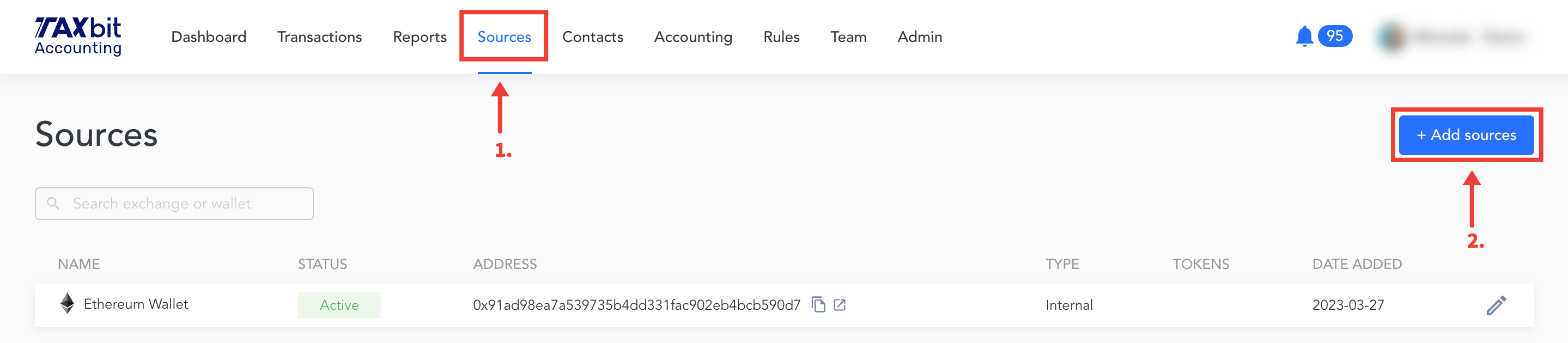
3. Select the Exchange you’d like to connect
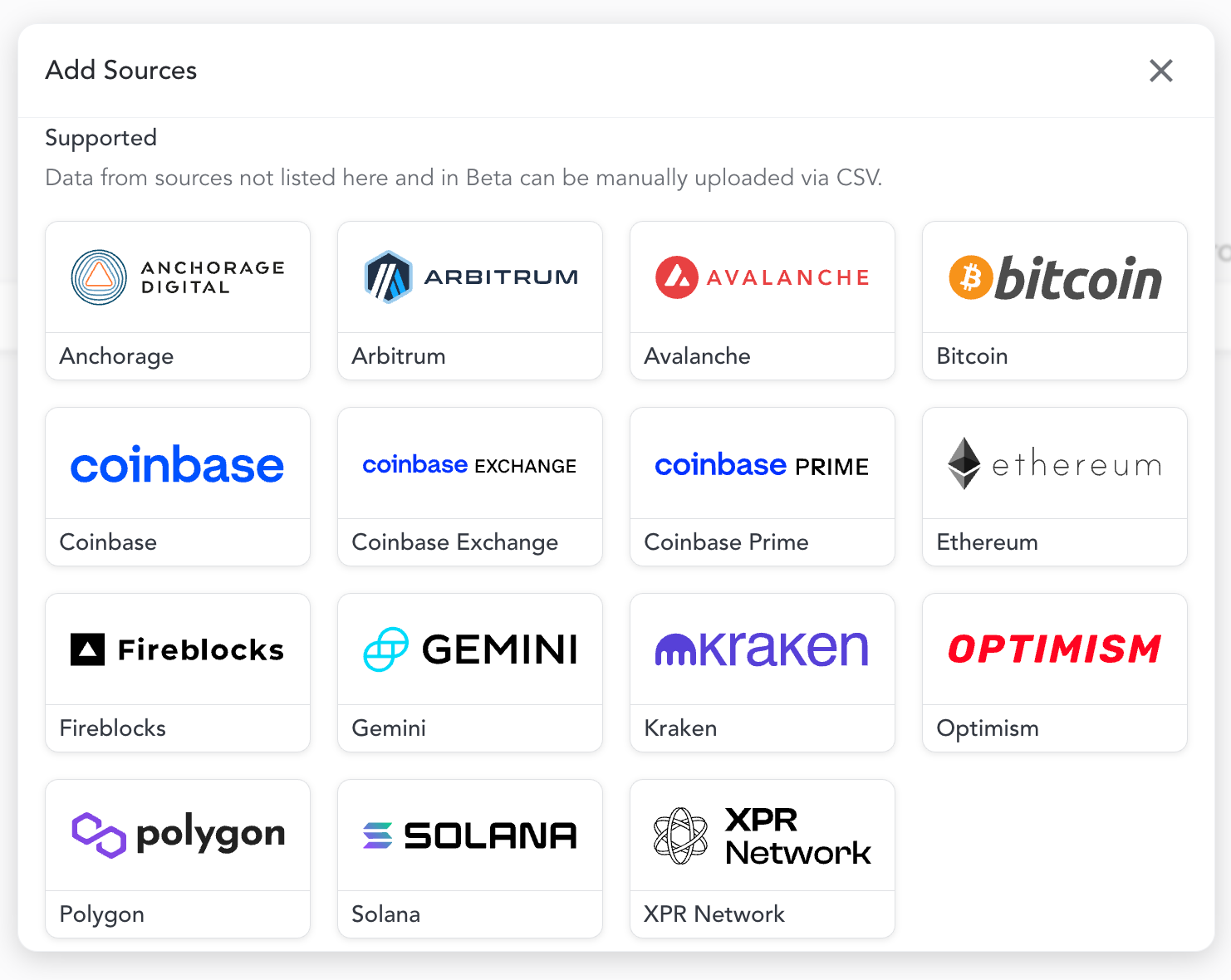
4. Next, you'll be asked to follow the prompts on the screen depending on the integration for the specific source:
- Ethereum - Wallet Address
- Polygon - Wallet Address
- Solana - Wallet Address
- Bitcoin - Wallet Address
- Beta: Available upon request
- Coinbase - Authorization Credentials
- Coinbase Prime - Authorization Credentials
- Beta: Available upon request
- Coinbase Exchange - Authorization Credentials (How to guide coming soon!)
- Beta: Available upon request
- Gemini - Authorization Credentials
- Anchorage Digital - API Key
- Fireblocks - API Key
- Beta: Available upon request
- Kraken - API Key
- Arbitrum - Wallet Address
- Beta: Available upon request
- Optimism - Wallet Address
- Beta: Available upon request
Please Note:Any transaction that occurs after the exchange is connected will automatically sync in the Accounting Suite (automatic syncs occur every 24 hours). Some transactions may take longer to appear if there is a delay between the execution of a transaction and the exchange recording it to their ledger.
Please Note: The TaxBit Accounting Suite offers the ability to upload CSV files for sources that are unable to be integrated via API. Please refer to the following guide on how to import your CSV file: How to Import a CSV File