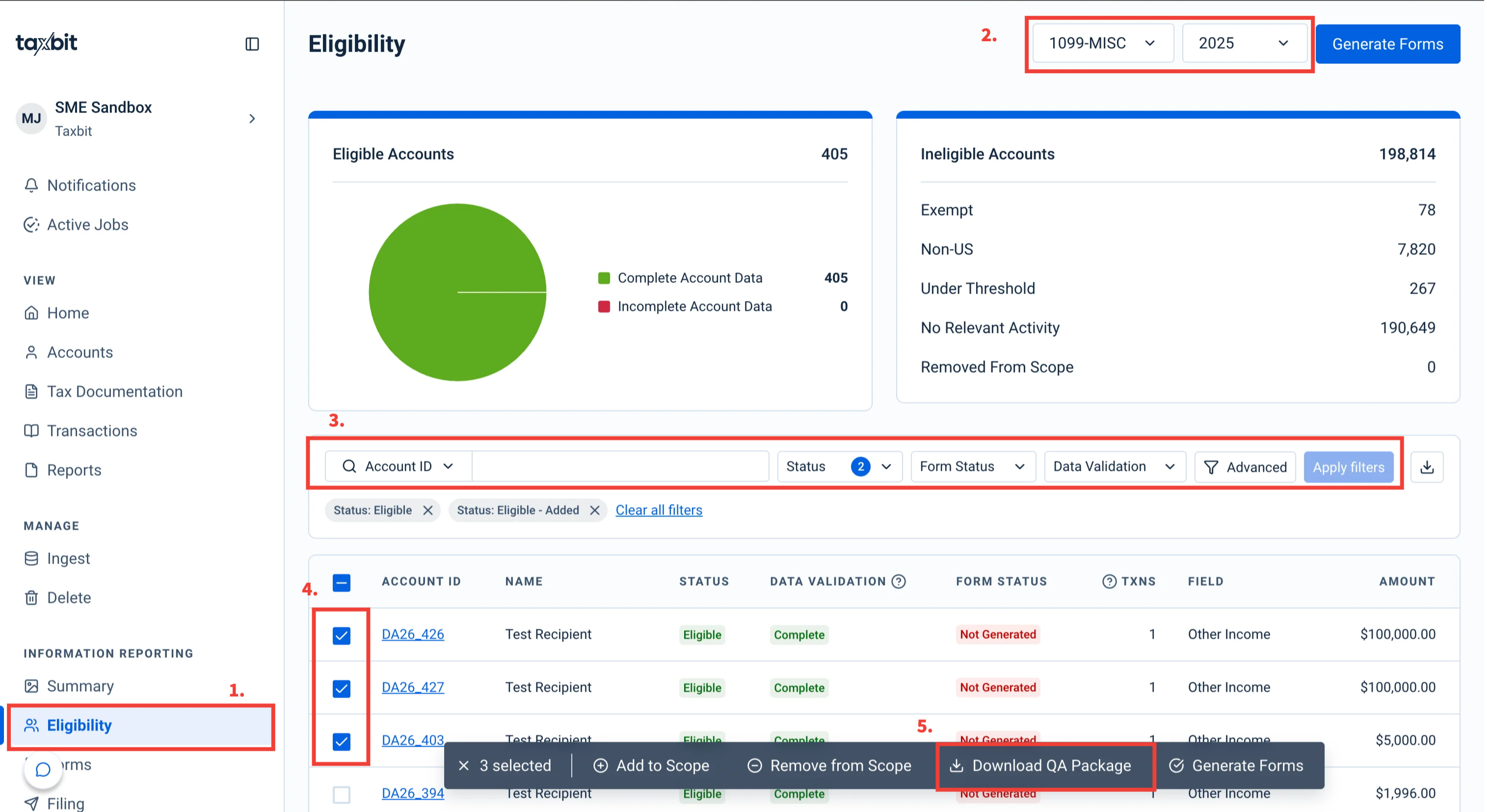
The QA Package is a downloadable zip that bundles draft tax forms and the underlying data used to generate them, allowing you to quickly review and validate the account information before generating the forms associated with a specific form type and tax year. It is designed to let Tax Managers preview what will go on forms (including originals, corrections, and voids), and validate account and transaction-level details before generating official forms.
For more information about what is included in the QA package, please refer to this guide: QA Package
To download the QA package, please follow the steps outlined below:
Step 1: From the Eligibility page, select the form type and tax year from the drop-down on the top right.
Step 2: Filter to the necessary accounts
Step 3: Select the checkbox to the left of the accounts to select the accounts you wish to QA.
Step 4: Select “Download QA Package” from the bottom to download the zipped QA Package file to your device.