
This guide outlines the process of data reconciliation by outlining the reconciliation reports to confirm ingestion completeness and account coverage; the review of ending inventory balances by asset and by account to validate positions and carryforwards; and the review of eligibility reports to determine which accounts and transactions meet configured policies and are ready for subsequent steps. Each section includes navigation steps, key fields and filters, and guidance for interpreting results.
Reports Page
Use the Reports page to download the data reconciliation reports and compare recorded counts and sum totals against your system of record. These reports are designed specifically to validate that what Taxbit received matches what you expect. Review total counts and the sum of amounts to spot any possible gaps or duplication.
For more information on the Reports available to aid in data reconciliation, please refer to this guide: Reconciliation Reports

Eligibility Page
Use the Eligibility page to validate the reporting population, filter to and select the accounts you wish to review, and then download the QA package (draft forms + CSVs) for detailed, line‑level spot checks before generation and filing. You can add or remove accounts from scope as needed, and review the underlying data that will drive forms.
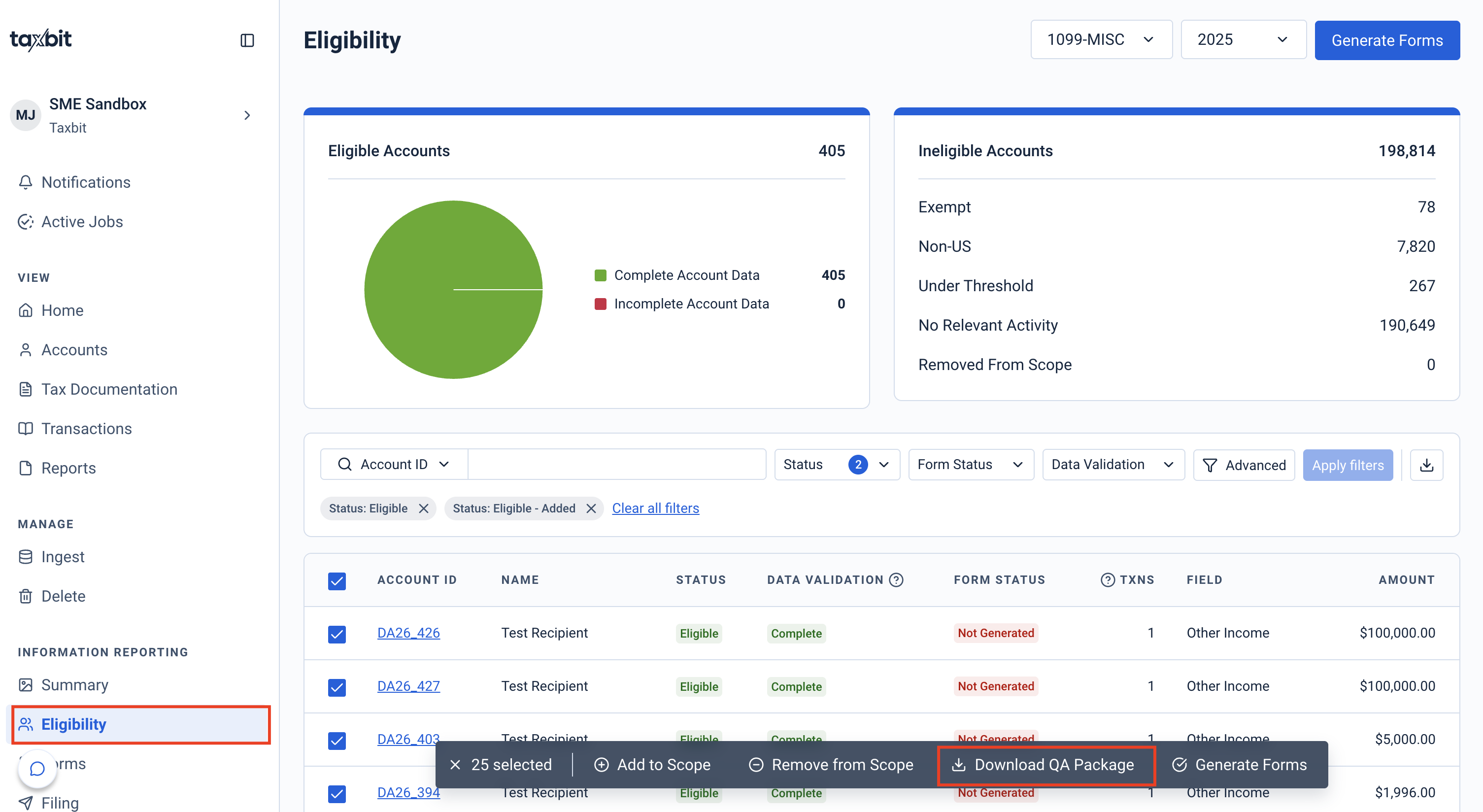
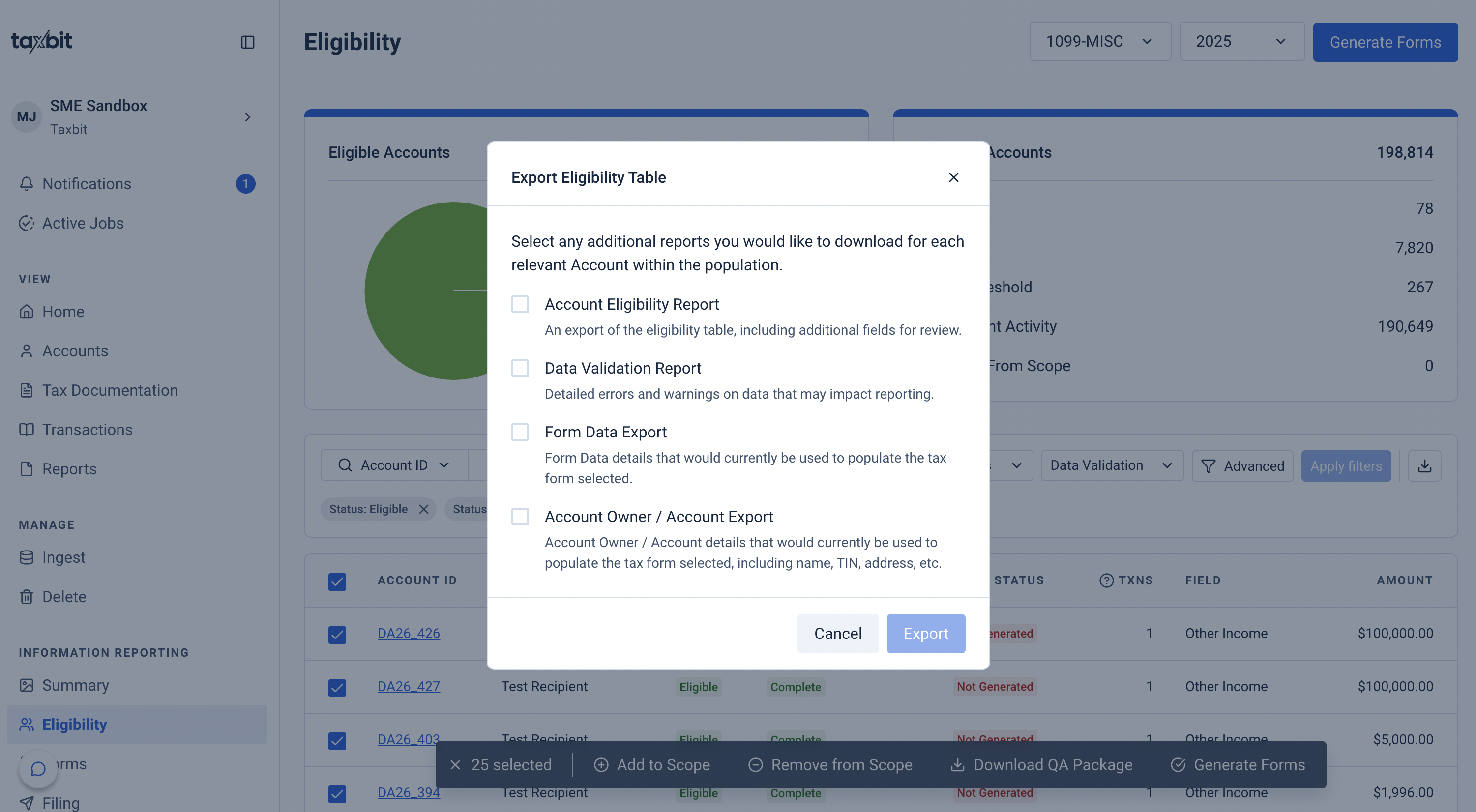
Drill down to investigate discrepancies using Account Owner/Account, Form Data, and the Data Validation exports to trace any variance back to specific accounts and data by filtering to and selecting the accounts you wish to review, and then clicking the download button from the right. You can use these exports to review the list of all accounts associated with that form for that year, their form details, eligibility status, as well as a list of possible errors that may need to be resolved for particular accounts.
Best‑Practice Sequence
Please refer to the steps outlined below for the sequence that can be followed to reconcile data after it has been ingested via the Ingestion page:
Step 1: Generate and download the reconciliation reports from the Reports page to verify counts/sums and population.
Step 2: Download the QA package from the Eligibility page to spot‑check draft forms and supporting CSVs at the line level.
Step 3: Use the Data Validation, Form Data, and Account Owner/Account Exports to resolve any variances, then re‑run reports to confirm alignment once the necessary data has been corrected.
Step 4: Proceed to generate and approve filings only after reconciliation is clean, using the standard Dashboard steps for generation and filing approvals. Please refer steps 5 & 6 of this guide for more information on form generation and approval: Tax Season Process Overview