This guide will provide information on the filters within the Transactions page of the TaxBit Accounting Suite.
How to Use the Filters
Filters are a helpful tool that you can use to locate specific transactions within your account. Whether you want to find transactions from a specific date, of a certain type or category, etc, the filters can be utilized to help you locate them. The filters currently available are:
Date Range

The date that the transaction occurred. The date range filter will allow you to select a start date for the transaction(s) you wish to find, as well as an end date. You can select a single day for a transaction here by selecting the same date for both the start and end date.
Category

The category is a description of the activity the transaction has been assigned or the specific subset of transaction data, based on rules created or transaction edits. Categories are not automatically assigned to transactions when they are added, this will need to be done either manually or by creating rules. For more information on the categories currently supported, please review this article: What Categories Can I Use?
Sources

The source from which the transaction is located. Selecting the source from this filter will show the transactions from that particular source. It’s important to keep in mind that if there are transactions that have been imported via CSV file, those transactions can be located by filtering to the source listed in the “source_name” column of the CSV file.
Type

The transaction type can be selected from this filter. A type (in, out, internal, or swap) is automatically assigned to transactions when they are ingested. Type is the basic direction of the asset movement.
Token

The token symbol is associated with the transaction.
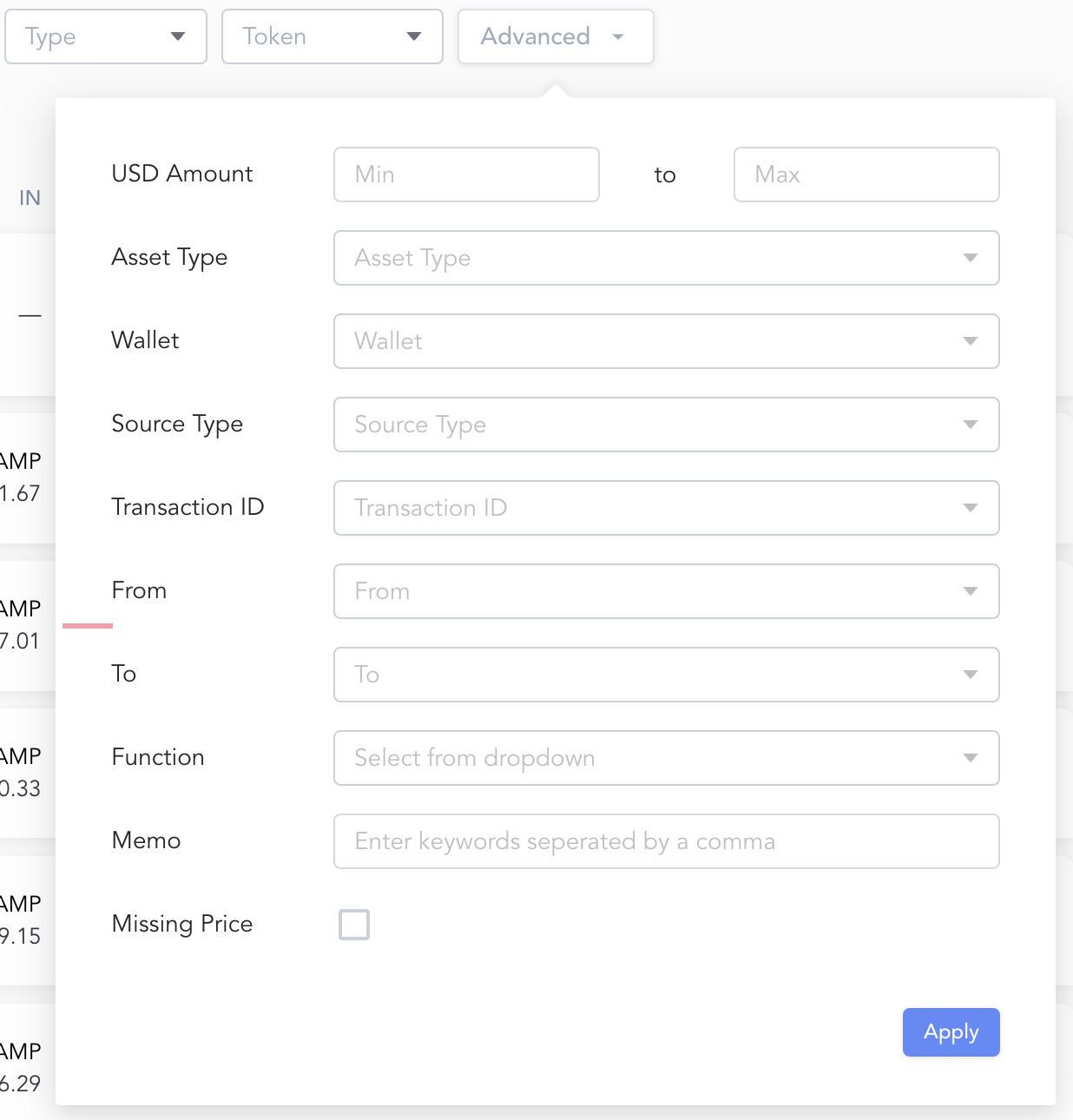
Advanced
The advanced filter allows for detailed searches/filtering, specifically for data attributes such as transaction ID, to/from wallet, and memo, for example.