
In this article, we'll cover how you can view gains/loss within the Accounting Suite, as well as how they are calculated.
How Can I View Realized and Unrealized Gain/Loss?
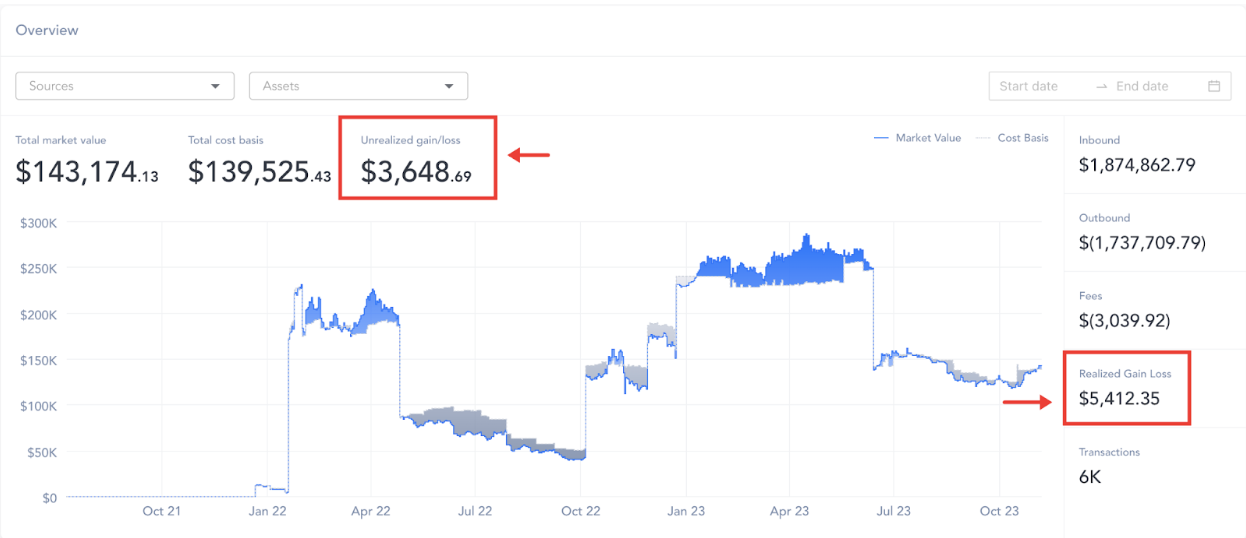
Realized and Unrealized Gains/(Losses) on the Dashboard and the Reports page provide real-time insights into performance.
From the Reports page, you can view/export the Roll Forward report which provides an on-demand summary of the activity that occurred during the selected period, including a summary of Realized and Unrealized Gain/(Loss) for that period.
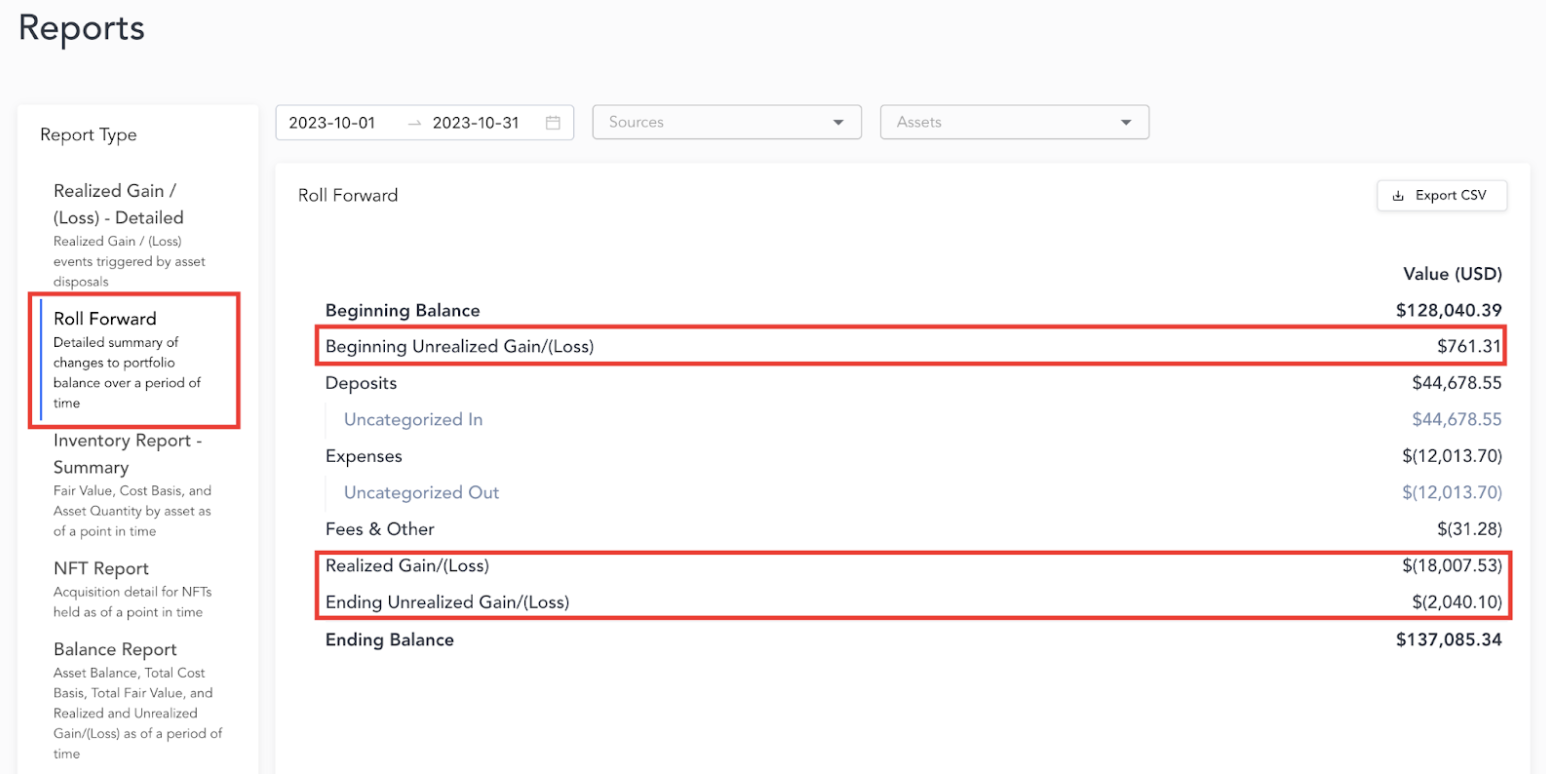
For more information on the Roll Forward Report, please refer to this article: Roll Forward Report Overview
How Are Realized Gains/Losses Calculated?
Realized Gain/(Loss) is the difference between Proceeds (Market Value at the date and time of disposal) and Cost Basis for digital asset disposals (Expense, Sale, Fees, etc.). The methodology used for the Gain/Loss calculation depends on the accounting methodology selected during the implementation process (FIFO by source, for example).
A detailed report with the lot level Realized Gain/(Loss) calculation can be exported directly from the Reports page under "Realized Gain/Loss - Detailed". The detailed report can be run for any date range and includes the following details for each asset disposal:
- Acquisition timestamp, transaction ID, and source
- Disposal timestamp, transaction ID, and source
- Acquisition and disposal “price”
How Are Unrealized Gains/Losses Calculated?
Unrealized Gains/(Loss) is the difference between the current Market Value of assets held and the cost of the crypto asset acquired at a specific point in time.