
In this article, we’ll discuss what is included in the Roll Forward Report and in the Roll Forward Report export.
What is the Roll Forward Report?
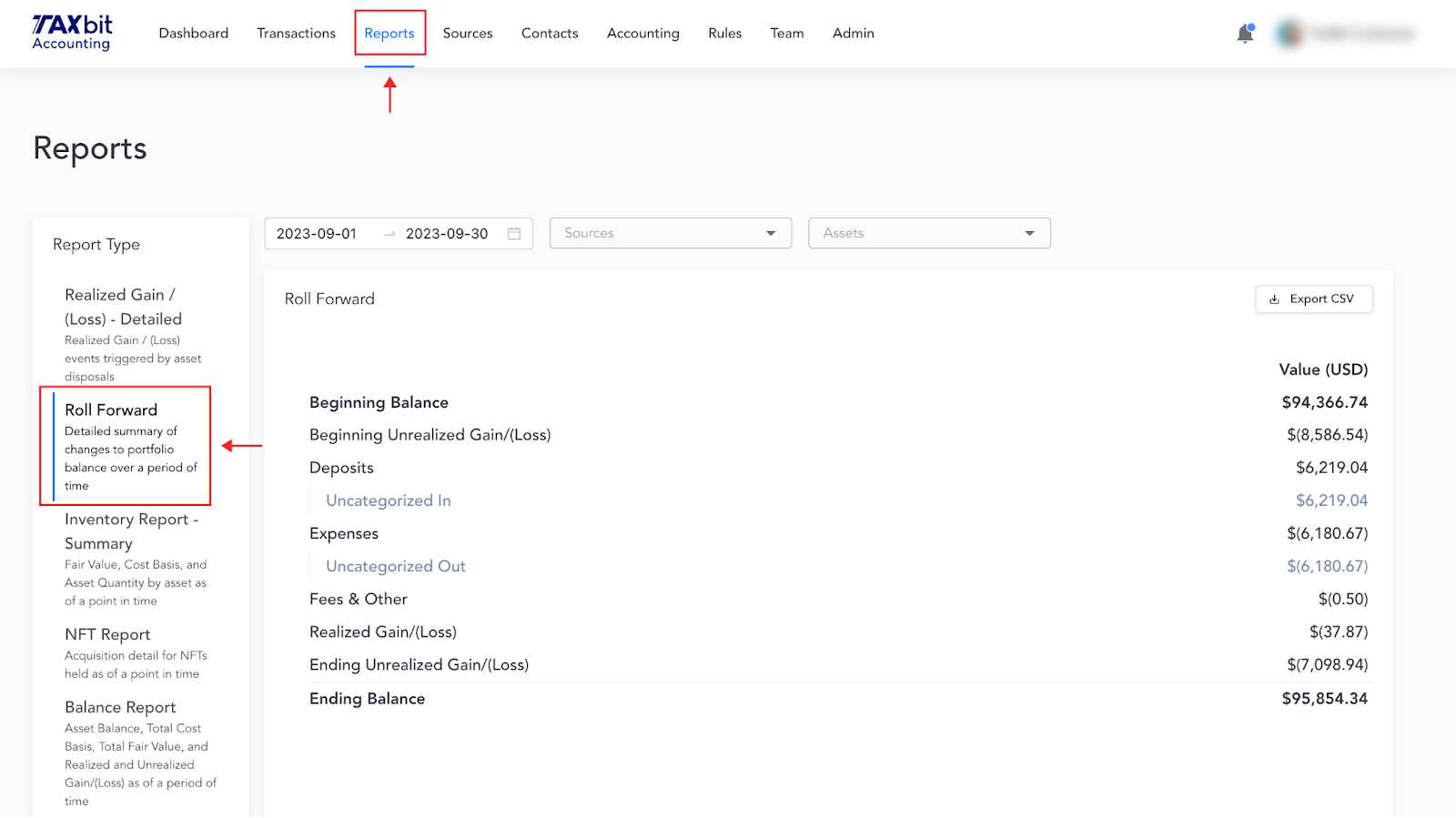
The Roll Forward report calculates and presents the total starting balance value, activity that occurred during the period of time selected, and the ending balance of all digital assets held as of the end of the selected period. The values in the Roll Forward report are presented in USD, with the realized and unrealized gain or loss explicitly broken out.
Navigating to the Roll Forward Report and Applying Filters
The Roll Forward report can be found by going to “Reports” > “Roll Forward”. You can filter the Roll Forward Report by date range, by wallet, and by asset.
Export the Roll Forward Report
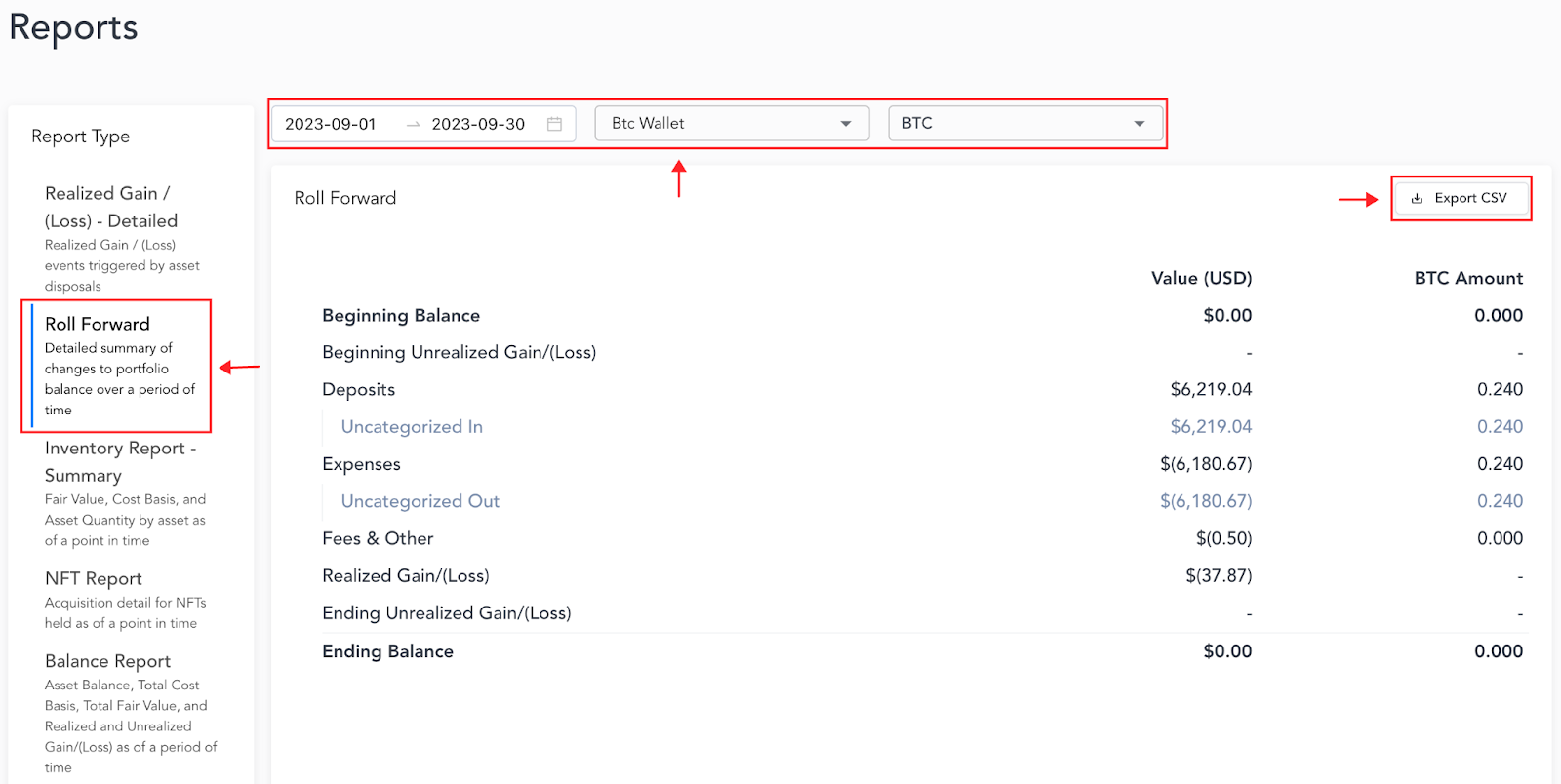
Once the desired filters are applied (date, wallet, and asset, for example) you can export the report in the form of a CSV by selecting “Export CSV” in the upper right-hand corner of the page.
Roll Forward Report Fields (Understanding the Report Export)
Beginning Balance
Total market value of assets held as of the beginning of the selected date range.
Beginning Unrealized Gain/(Loss)
Fair Value of Assets Held as of the start of the date range compared to the Cost of those Assets held.
Deposits/Expenses
The total USD amount of assets acquired/disposed of during the date range selected. The Deposits/Expenses are broken out by Category. For example, Uncategorized In is technically a Deposit (IN transaction type), so that category would be broken out separately within the Deposits.

Fees and Other
Total amount of crypto assets disposed of in the form of a fee (gas fee, for example).
Realized Gain/(Loss)
Total Realized Gain/(Loss) on crypto assets disposed of during the date range selected.
Ending Unrealized Gain/(Loss)
Total Fair Value of assets held compared to the Cost of those assets held as of the end of the period.
Ending Balance
The USD value of all your assets at the end of the filtered range.