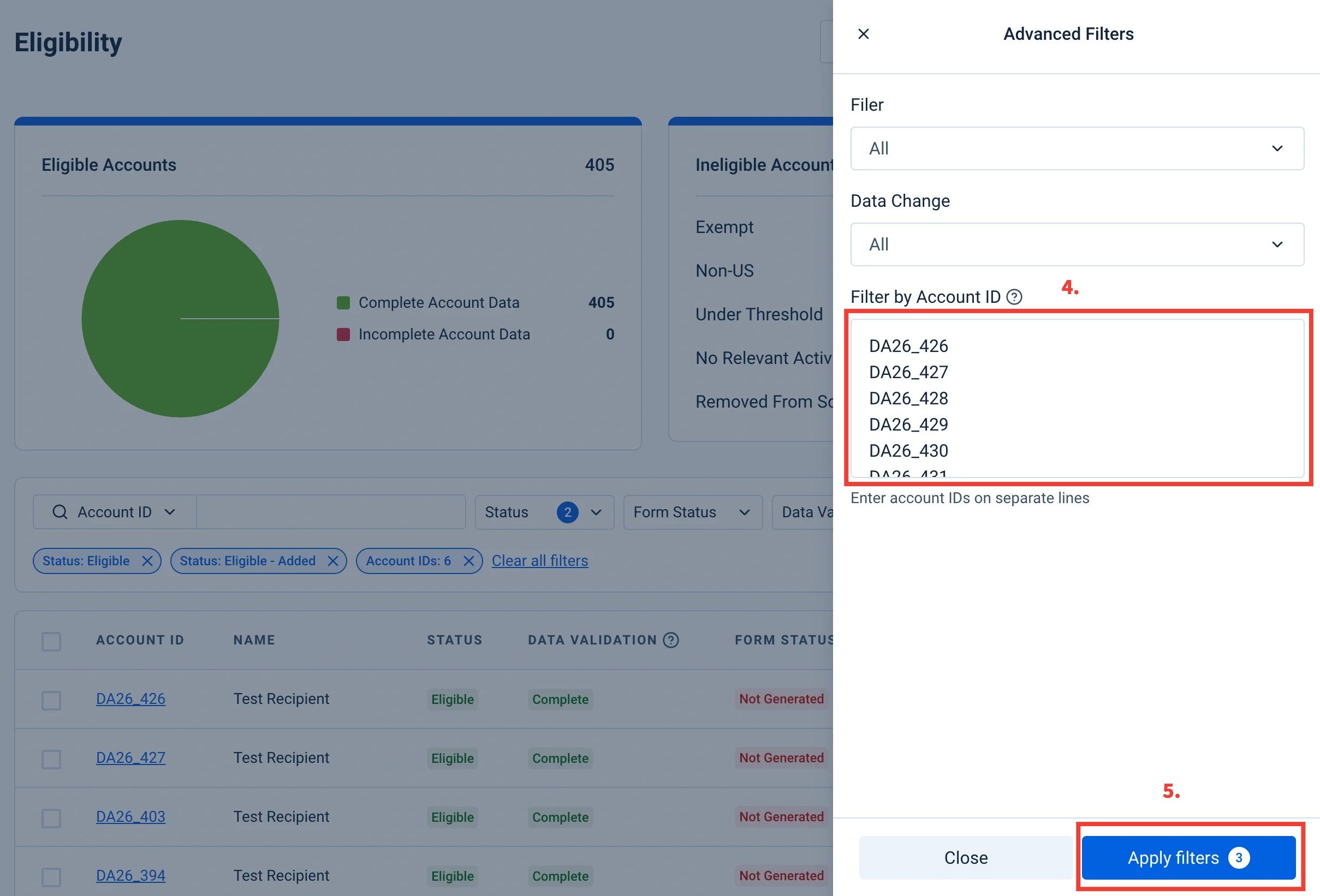
Please follow the steps outlined below to filter and select multiple accounts within any of the pages in the Information Reporting section of the Dashboard:
Step 1: Select the page that you wish to filter from under the Information Reporting section. For this example, we will be filtering in the Eligibility page.
Step 2: Select the necessary tax form and the tax year from the drop-downs on the top right.
Step 3: Select “Advanced” filters from the top right of the Eligibility table.
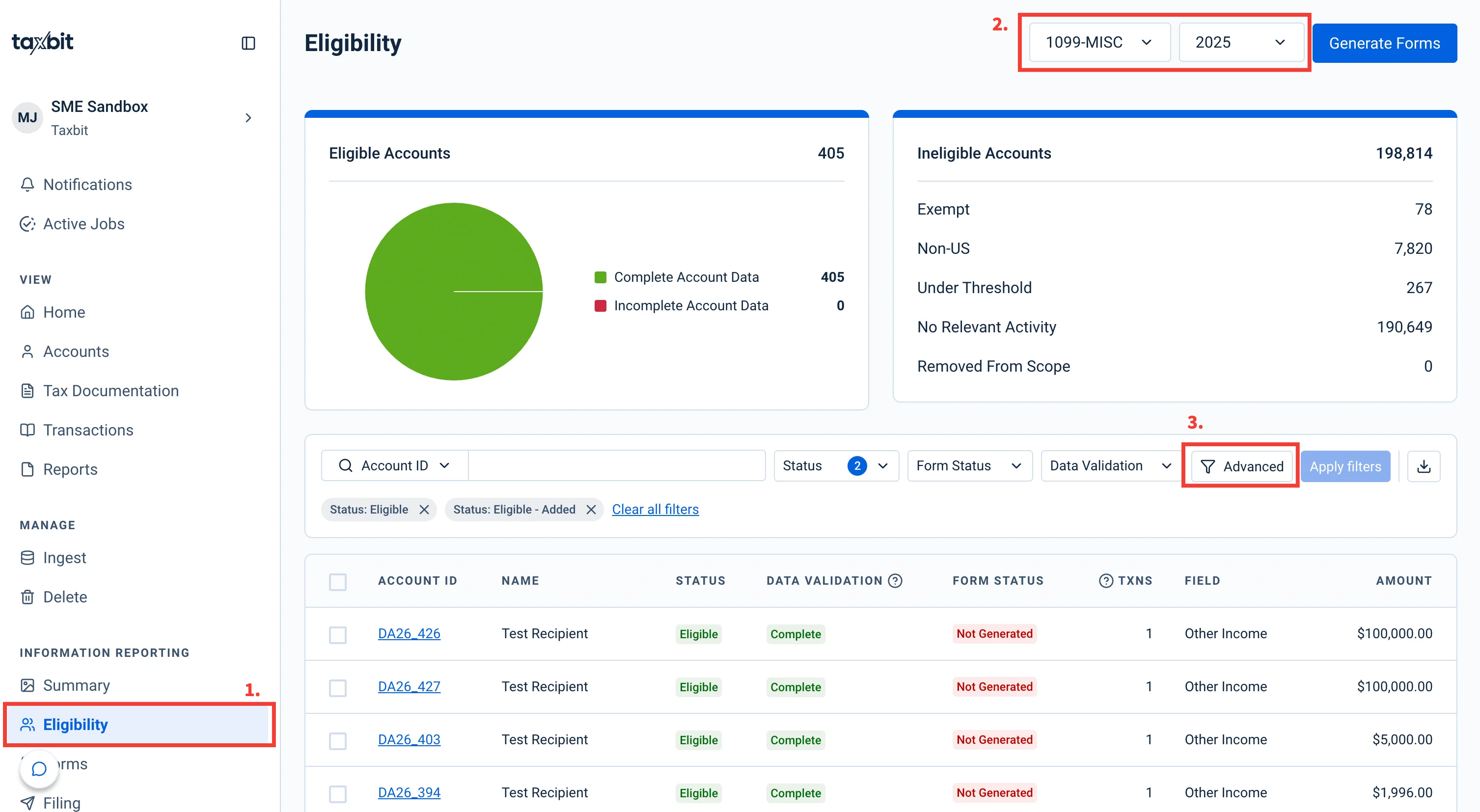
Step 4: You can then enter up to 10,000 Account IDs on their own line in the “Filter by Account ID” field to filter to multiple accounts at one time. Along with any additional filter parameters that are applied.
Step 5: Select “Apply” from the bottom.