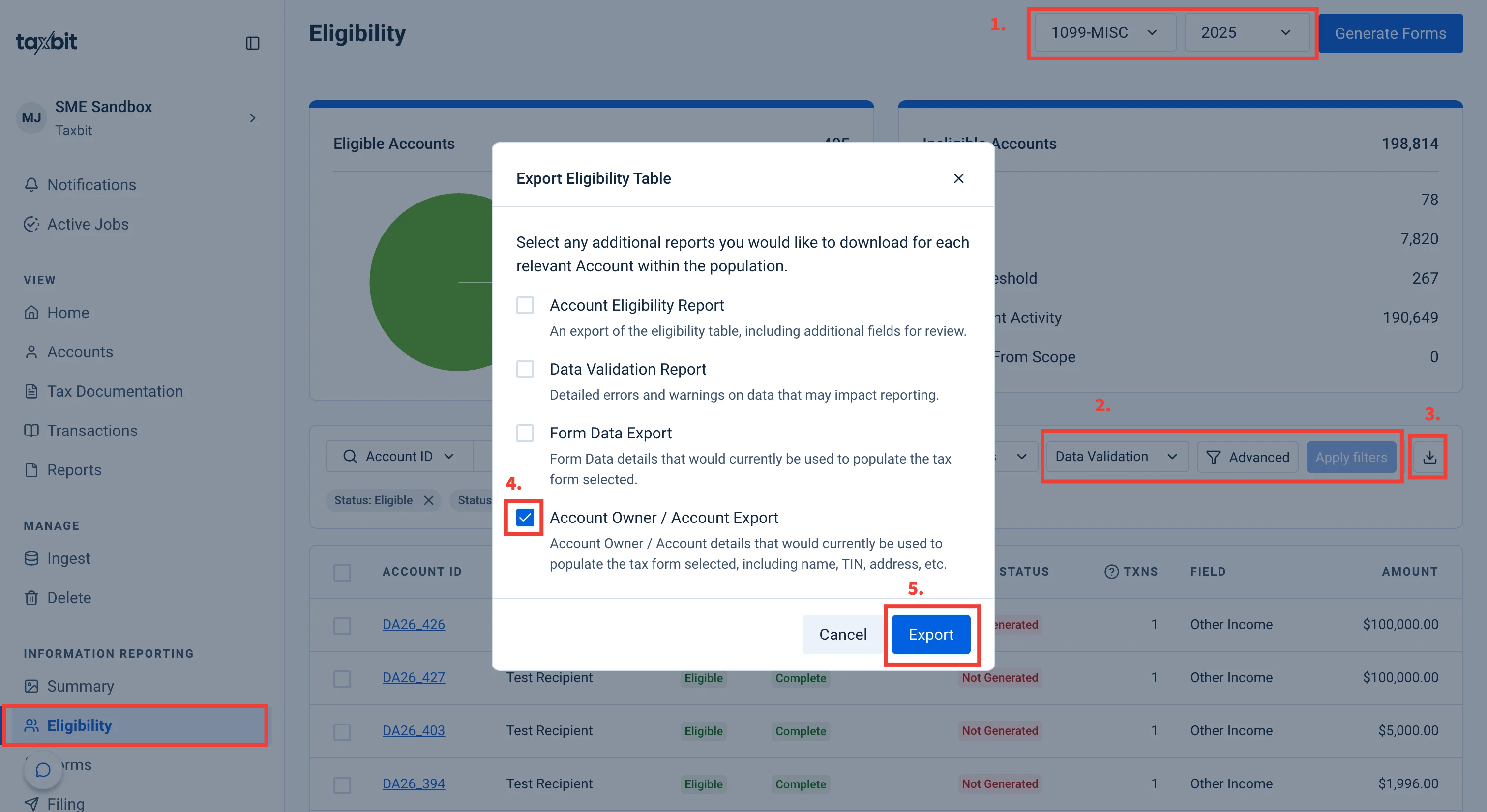
The Account Owner / Account Export is a pre-populated template that includes the current information on file for the filtered accounts in the table (e.g., name, address, TIN, etc.). This export is properly formatted to be ingested into our platform, which allows for quick changes to the extent any updates are required.
Please follow the steps outlined below to export the Account Owner Export:
Step 1: From the Eligibility page, ensure that you have the proper form type and tax year selected from the top right.
Step 2: If needed, filter to the necessary account(s).
Step 3: Click the download button from the top right of the Eligibility Table.
Step 4: From the next window, select the checkbox next to "Account Owner/Account Export".
Step 5: Select "Export" from the bottom.