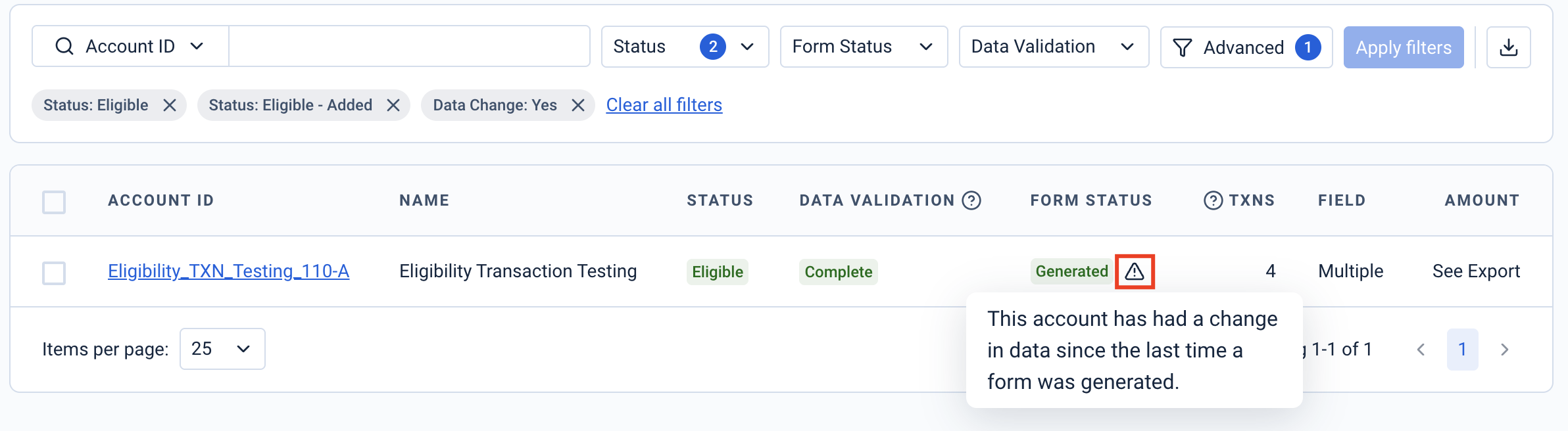
Data Change detection (also referred to as Corrections Detection) flags accounts where the data now on file differs from the data used on the latest generated form, helping you identify potential revisions or corrections quickly before filing or re-filing.
Please note: The indicator focuses on changes that are relevant to form values. It does not mean you must always take action; use operational judgment and supporting exports/QA from the Eligibility page to confirm next steps.
The feature surfaces a visual indicator on the Eligibility table within the Eligibility page and provides a dedicated filter so you can focus on impacted accounts for the selected form type and tax year.
How Are Changes Identified?
The system compares the data used on the latest generated form to the current data in Taxbit services; if relevant differences are found, the account is flagged in Eligibility for the selected form/year.
Generally, the outcome when you generate forms for flagged accounts aligns with filing status:
- Eligible + Not Filed + Flag → generates another Original (revision) as appropriate, once updated.
- Eligible + Filed + Flag → generates a Correction as appropriate, once updated.
- Ineligible + Previously filed form → generates a Void if applicable.
If nothing has changed compared to the last generated form, the system will not produce a new form and may note “No change since last generated form.”
Please note: Changes to Filer details generally do not trigger the Data Change flag, as these are not always required to be resubmitted.
Please note: Form generation uses the current account and filer information available when generation is triggered. Please review and update these details, as needed, before generating forms or corrections to ensure the output reflects the correct information.
Locating Data Changes
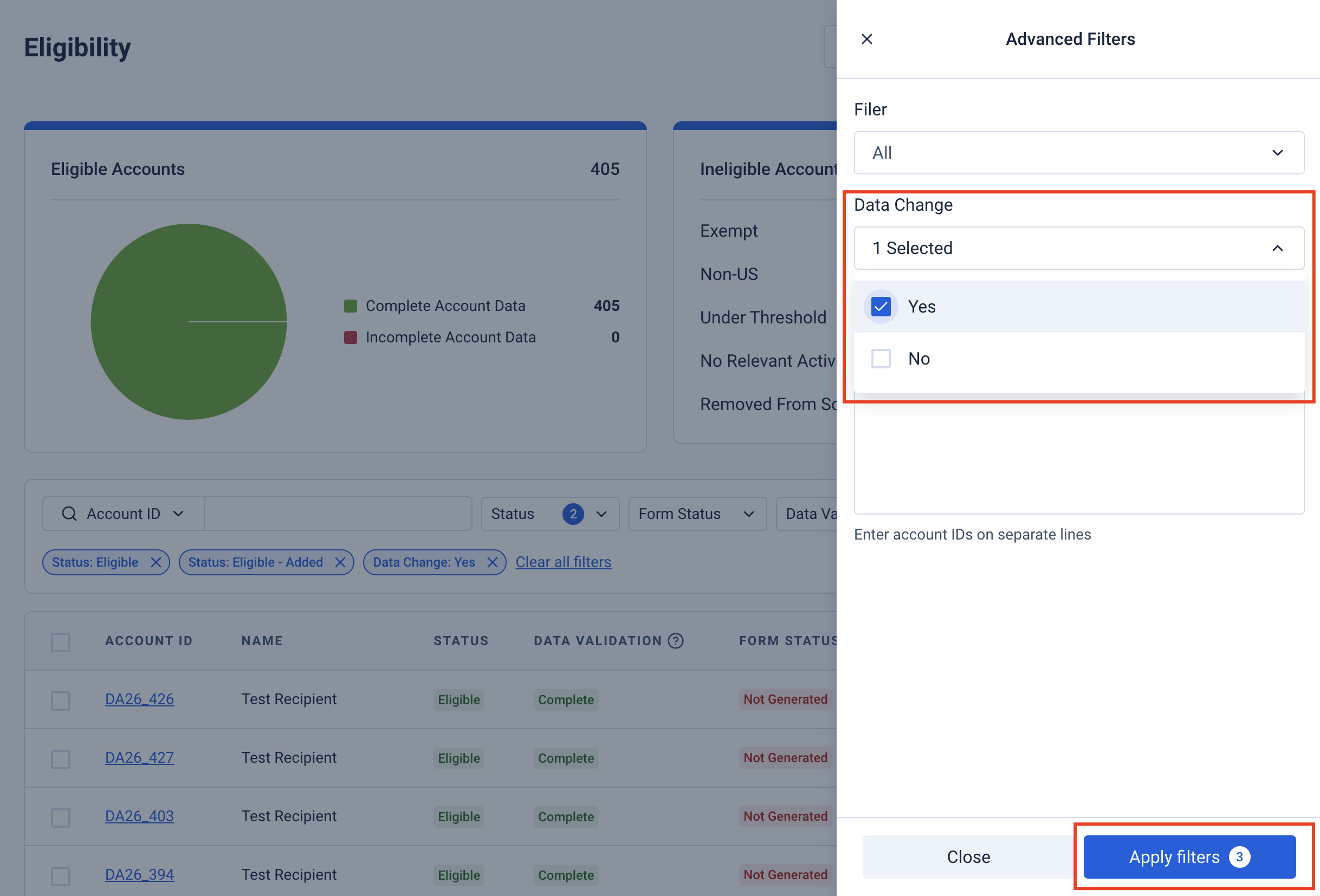
The easiest way to find accounts with data changes is by filtering for them directly. From the Eligibility page, select “Advanced” from the top of the Eligibility Table, then select “Yes” from the “Data Change” drop-down and apply the filter. Any accounts that have had data changes will reflect within the Eligibility table.
Another way to identify accounts that have had data changes is by locating the “data change” icon within the account.