In this guide, you will find information on how to manage spam tokens within your environment as well as how the Taxbit Accounting Suite can automatically detect and remove spam tokens from your environment.
Contents
Spam Token Management via Blockaid
Overview
The Taxbit Accounting Suite helps you maintain accurate financial reporting by providing tools to manage spam tokens that might otherwise clutter your workspace and distort your accounting data. Through our integration with Blockaid, a leading Web3 security provider, we offer enhanced protection against worthless or potentially harmful crypto assets.
What is Blockaid?
Blockaid is a cybersecurity company that specializes in protecting Web3 applications and smart contracts from exploits and attacks. Their real-time security monitoring technology helps detect and block vulnerabilities in blockchain platforms, with a focus on preventing malicious transactions before execution.
We are leveraging Blockaid's capabilities to identify and filter out spam tokens and fraudulent assets from our accounting application, ensuring our users receive accurate financial reporting without the noise of worthless or potentially harmful crypto assets.
How it Works
- Data Ingestion
- When you add your blockchain data sources to our platform, we automatically import your token holdings and transaction history.
- Spam Token Detection
- Our system provides two methods for managing spam tokens:
- Manual Management
- By default, you can manually identify and add tokens to your spam list.
- Auto-removal with Blockaid
- When enabled, our application leverages Blockaid's security infrastructure to automatically identify spam or malicious tokens in your portfolio.
- Manual Management
- Our system provides two methods for managing spam tokens:
- Workspace Cleanup
- Once identified (either manually or automatically), spam tokens are removed from your organization's workspace, ensuring clean and accurate financial reporting.
Setting Up Spam Token Management
Please note: This functionality requires the refreshed Taxbit UI to be enabled (currently in Beta). You can toggle the new UI from your organization drop-down today.
Manual Spam Token Management
To manage spam tokens within your environment manually, please follow the steps outlined below:
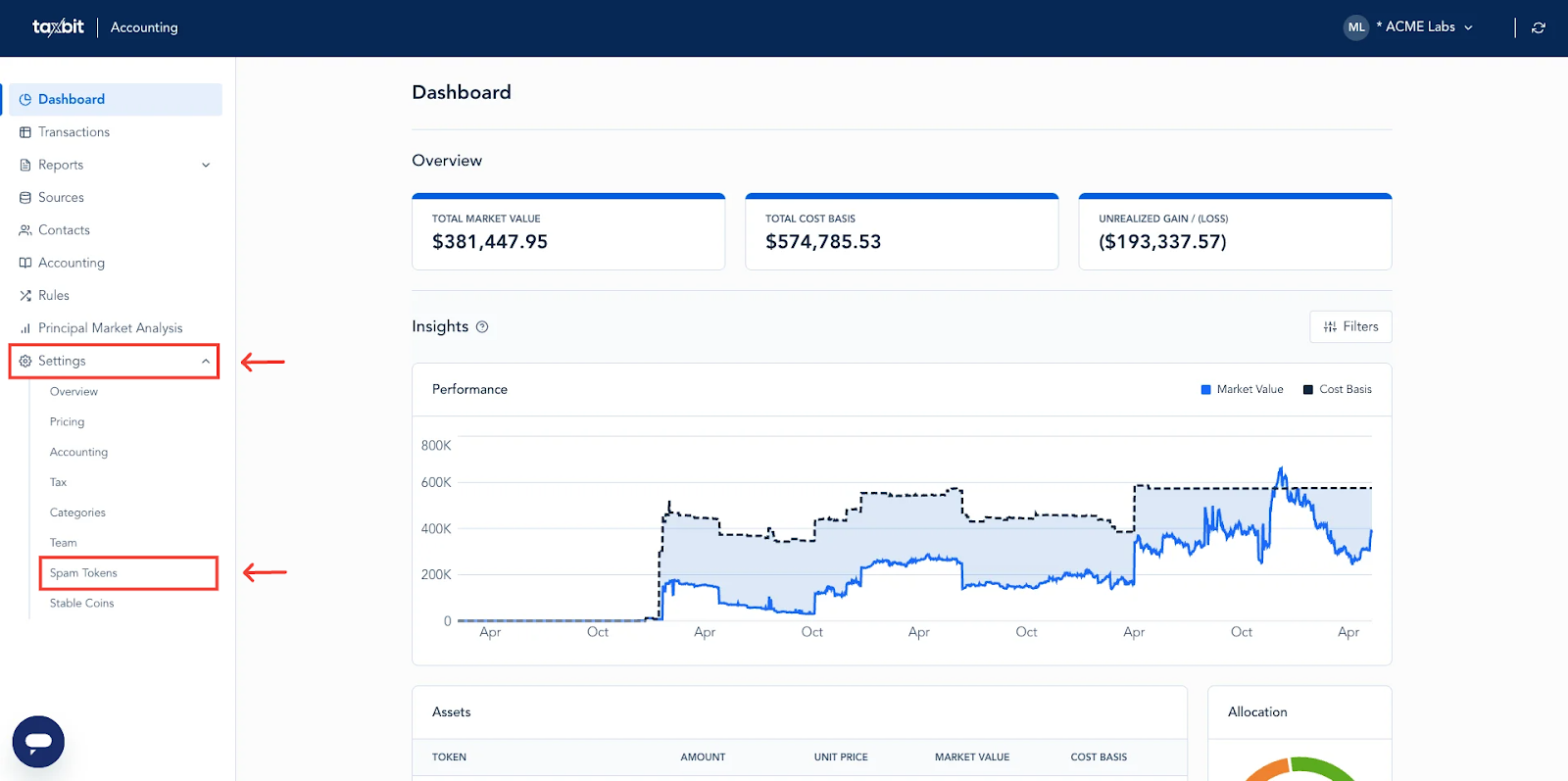
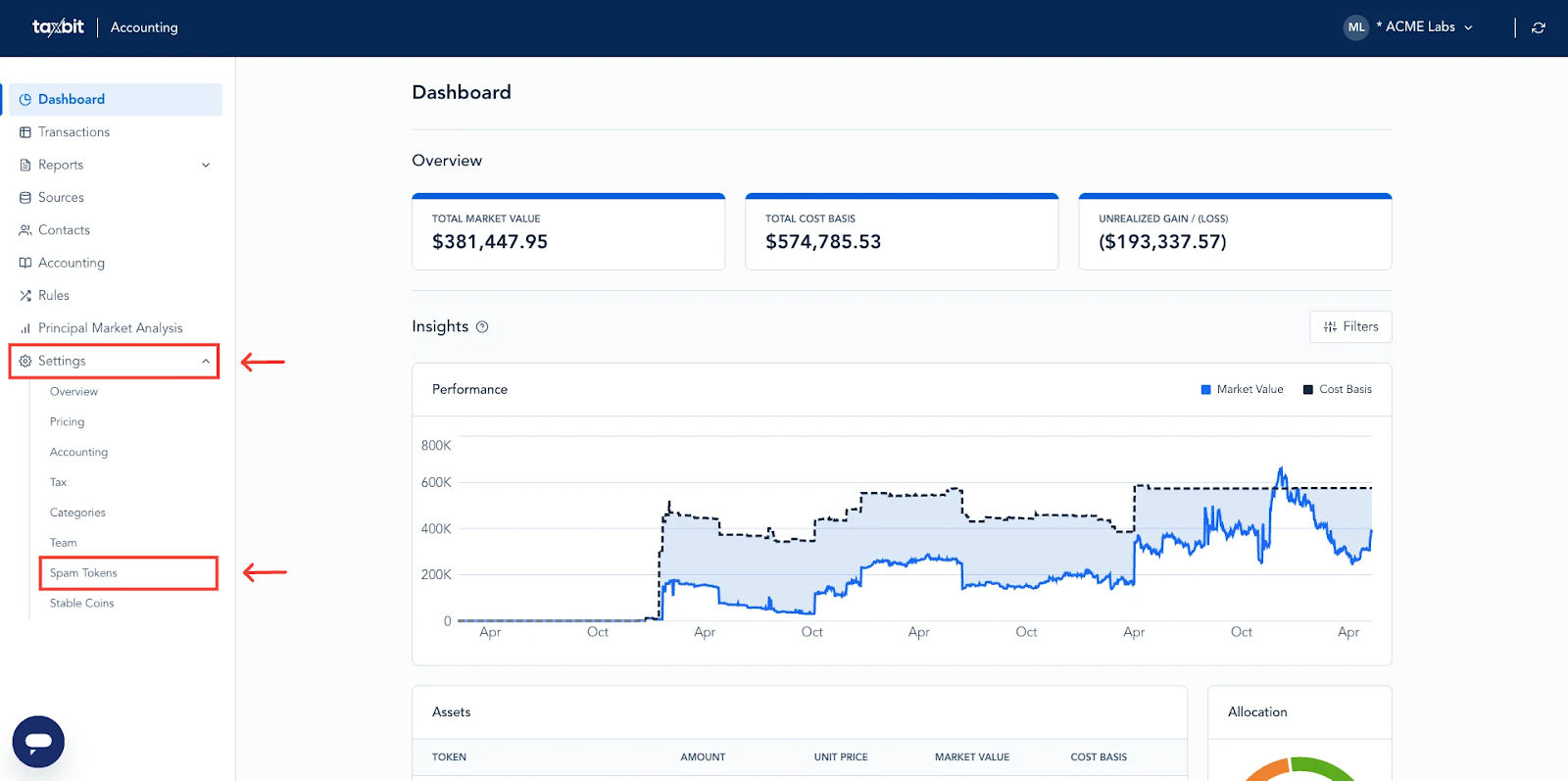
Step 1: Select “Settings” from the left, then select “Spam Tokens”.
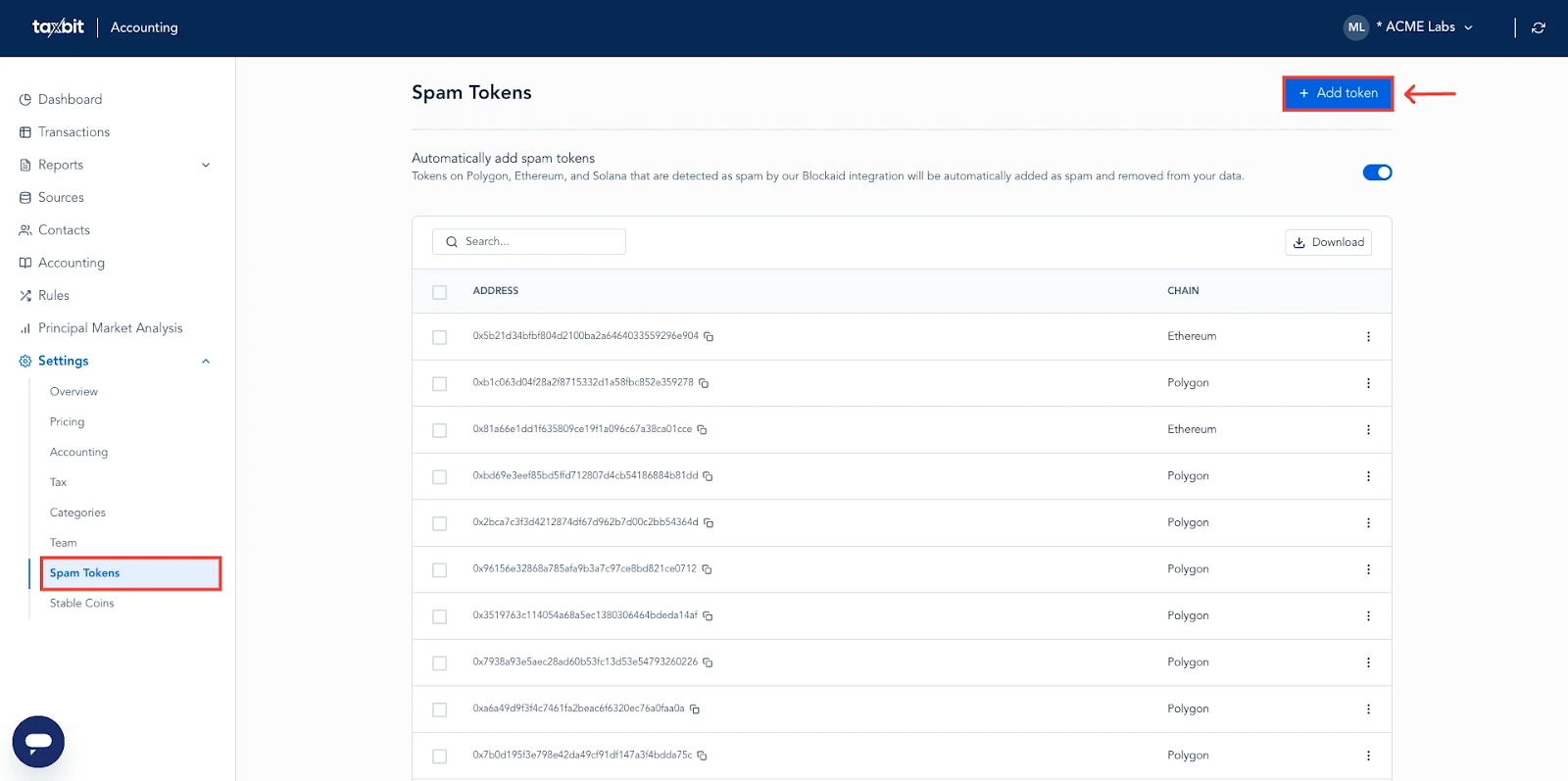
Step 2: Select the “+Add Token” button from the top right corner.
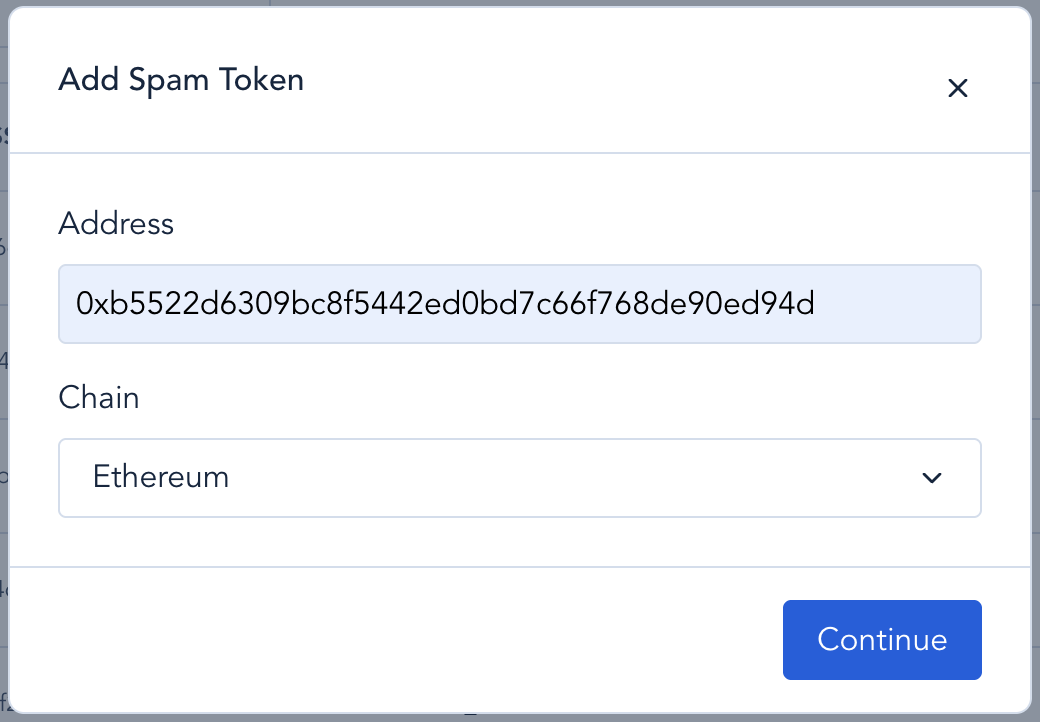
Step 3: Add the contract address for the token and select the associated blockchain from the drop down, then select “Continue” from the bottom. The following blockchains are currently supported for manual spam token removal:
- Ethereum
- Polygon
- Solana
- Bitcoin Cash
- Bitcoin
- Optimism
- Arbitrum
- Arbitrum Nova
- Avalanche
- BNB Chain
- Dash
- Dogecoin
Please note: Please allow up to 24-48 hours after toggling this feature for these changes to take effect.
Enabling Auto-Removal with Blockaid
Please note: Currently, the only blockchains that support Spam Token Auto-Removal from Taxbit are Ethereum, Polygon, and Solscan. Spam tokens from any other blockchains will not be automatically removed from Taxbit with this feature enabled and will need to be flagged manually using the steps in the above section.
To enable auto-removal of spam tokens with Blockaid, please follow the steps outlined below:
Step 1: Select “Settings” from the left, then select “Spam Tokens”.
Step 2: Find the "Automatically add spam tokens" toggle at the top of the page and toggle it on.
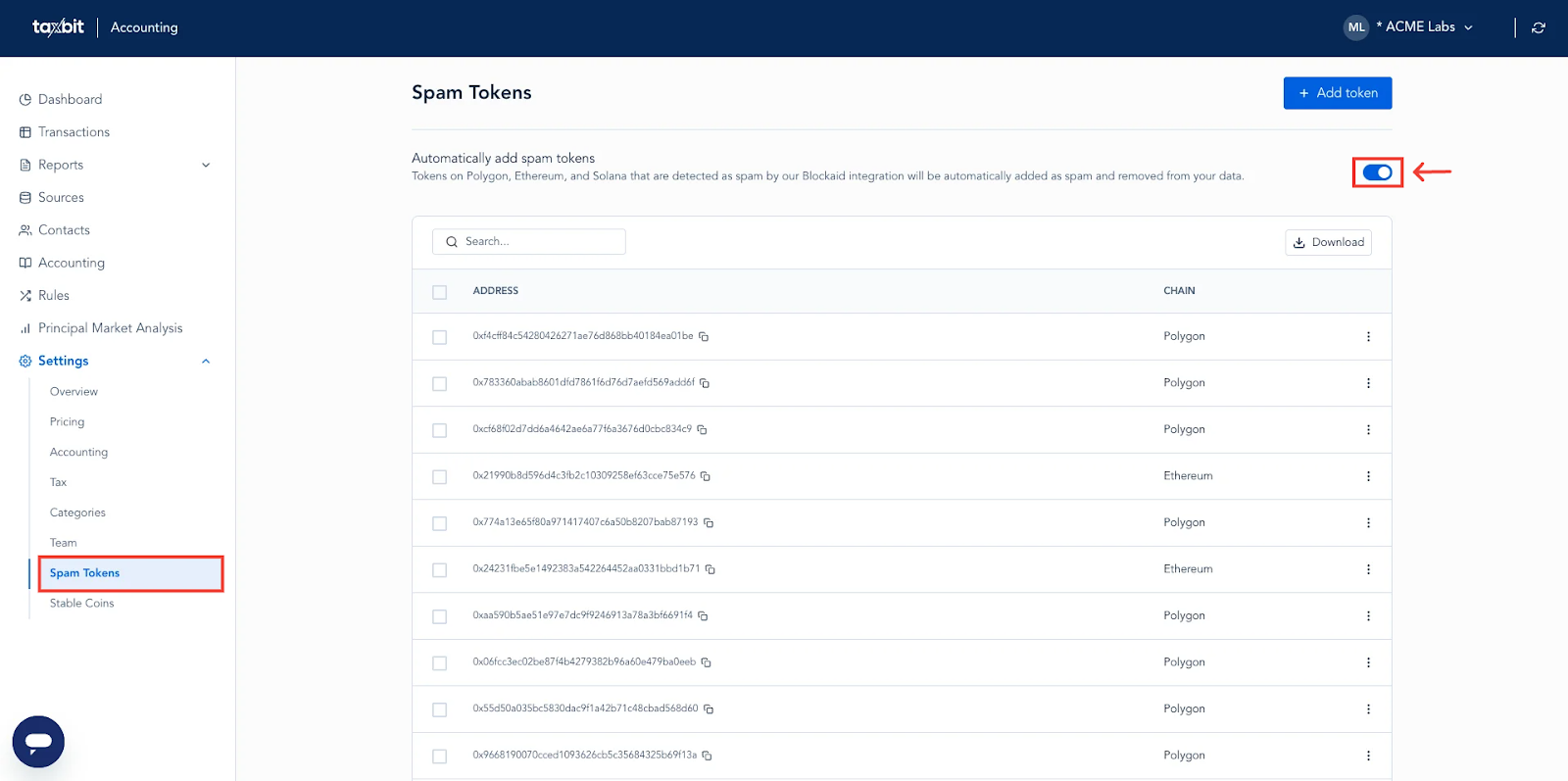
Once enabled, our system will periodically scan your token list using Blockaid's security protocols to identify spam or potentially malicious tokens and automatically remove them from your workspace.
Benefits of Auto-Removal
- Time Savings
- Eliminate the need to take the time to manually identify spam tokens.
- Enhanced Security
- Leverage Blockaid's specialized Web3 security technology to detect potentially harmful assets.
- Improved Reporting Accuracy
- Ensure your financial reports reflect only legitimate assets.
- Reduced Clutter
- Maintain a clean workspace focused on your actual holdings.
Managing Your Spam Token List
You can manage the following via the Spam Tokens page :
- View all tokens marked as spam.
- Restore tokens you no longer wish to classify as spam.
- Add additional tokens to your spam list manually.
To manage your spam token list, please follow the steps outlined below:
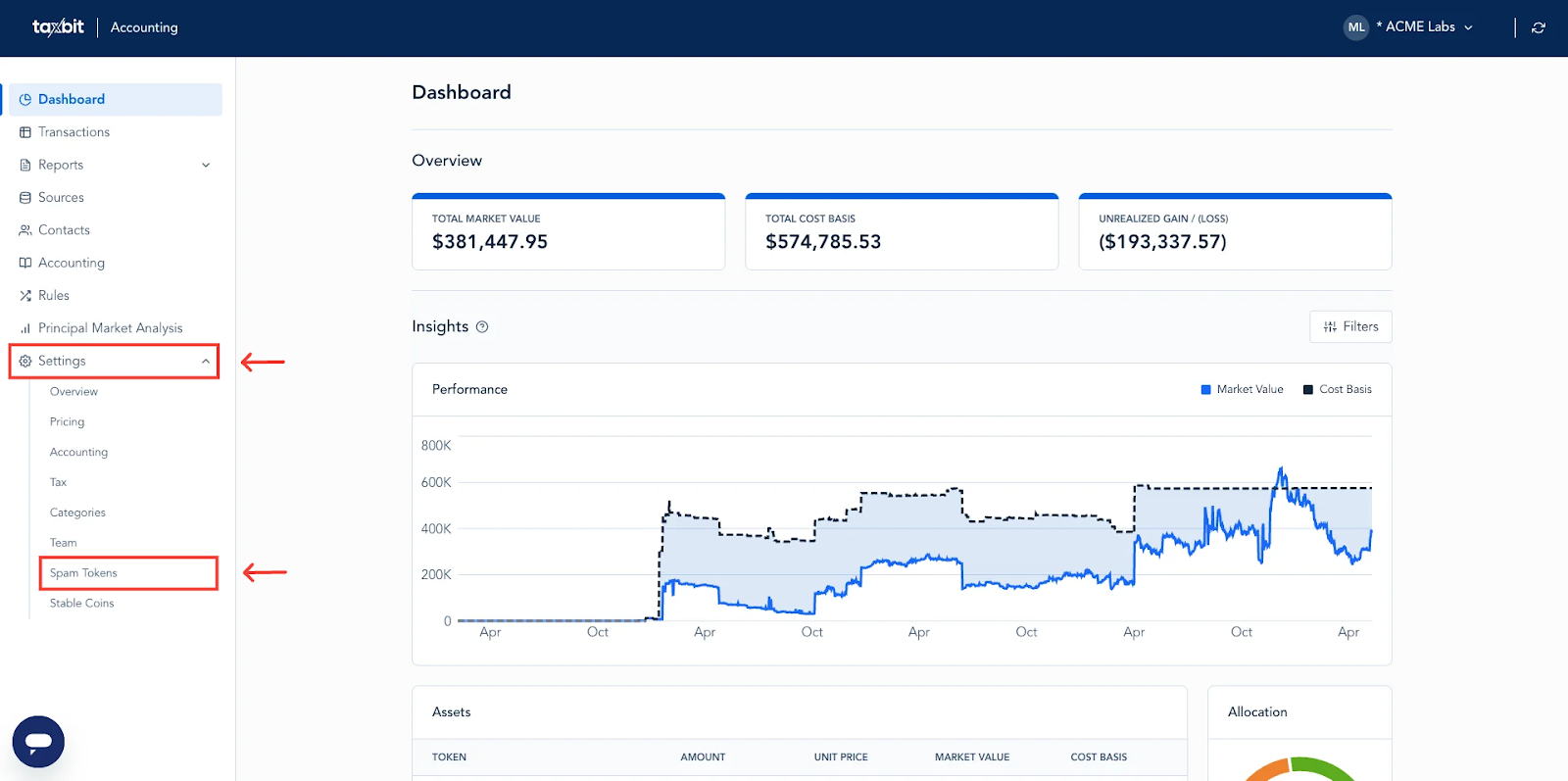
Step 1: Select “Settings” from the left, then select “Spam Tokens”.
Removing Spam Tokens From the Spam Token List
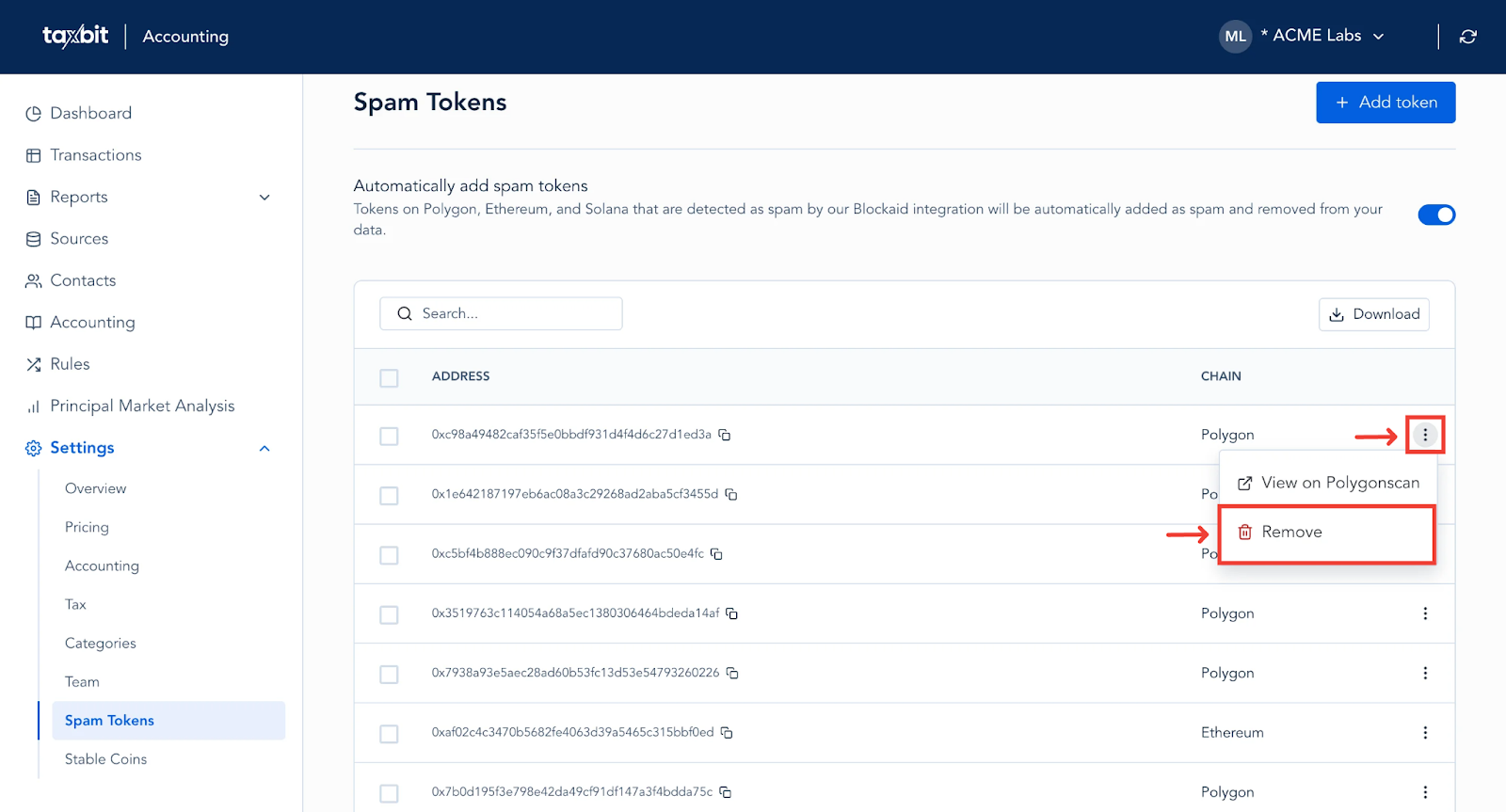
If there is ever an instance where you feel a token was marked as spam by mistake, and you would like to remove it from the spam tokens list, you can do so by searching for that token on the Spam Tokens list by pasting its contract address to the search bar on the Spam Tokens page. If the token has been flagged as spam, it will automatically reflect on the page.
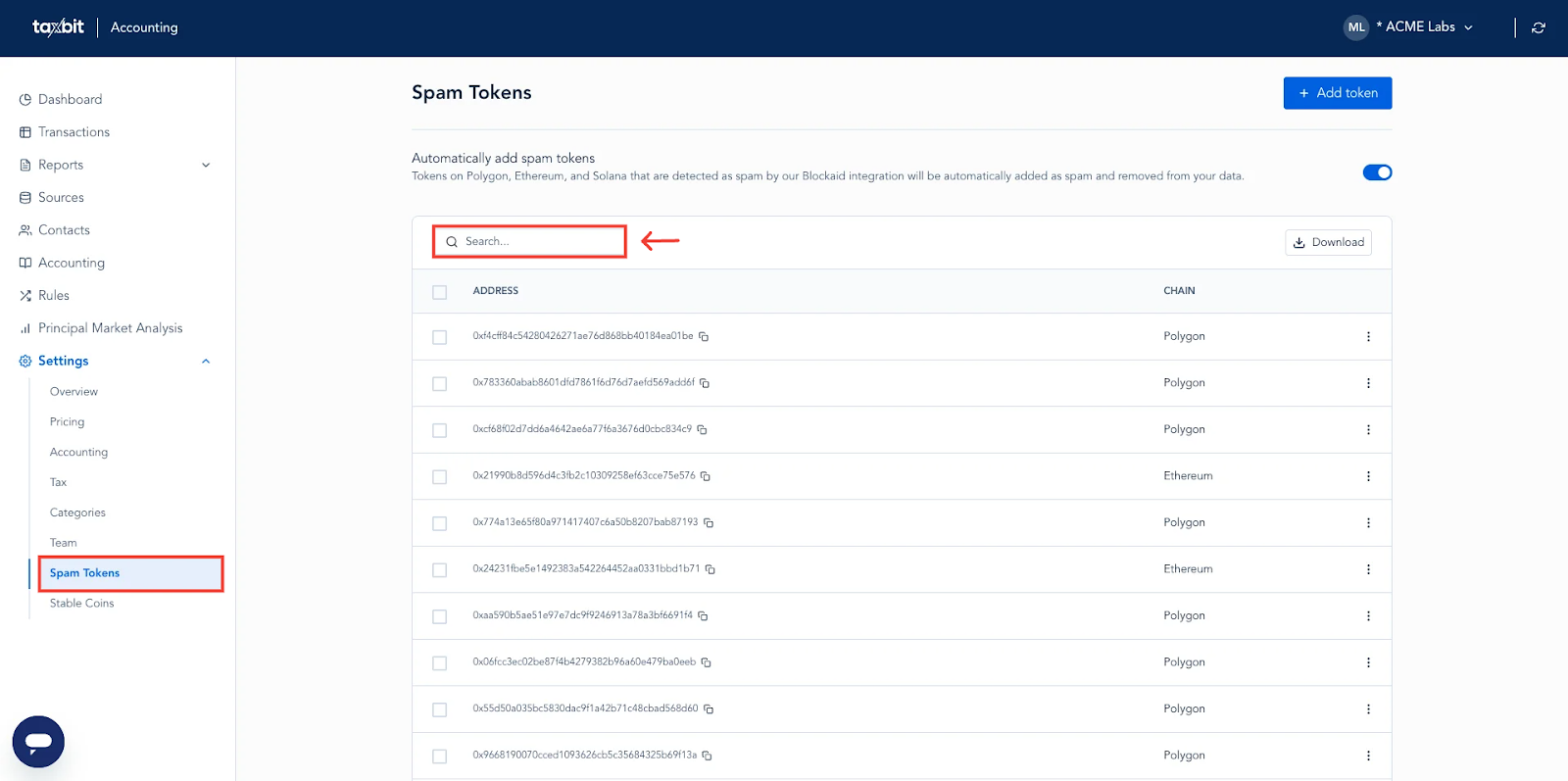
If you wish for the token to no longer be flagged as spam, from the right side of the token, select the three dots, then select “Remove”. Once removed from the list and the data has been reprocessed, the token will appear within your transactions and reports.