
The Contacts page allows users to name external wallets and assign additional contact information that their sources interact with to allow a convenient way of identifying aliases.
How to Add a New Contact
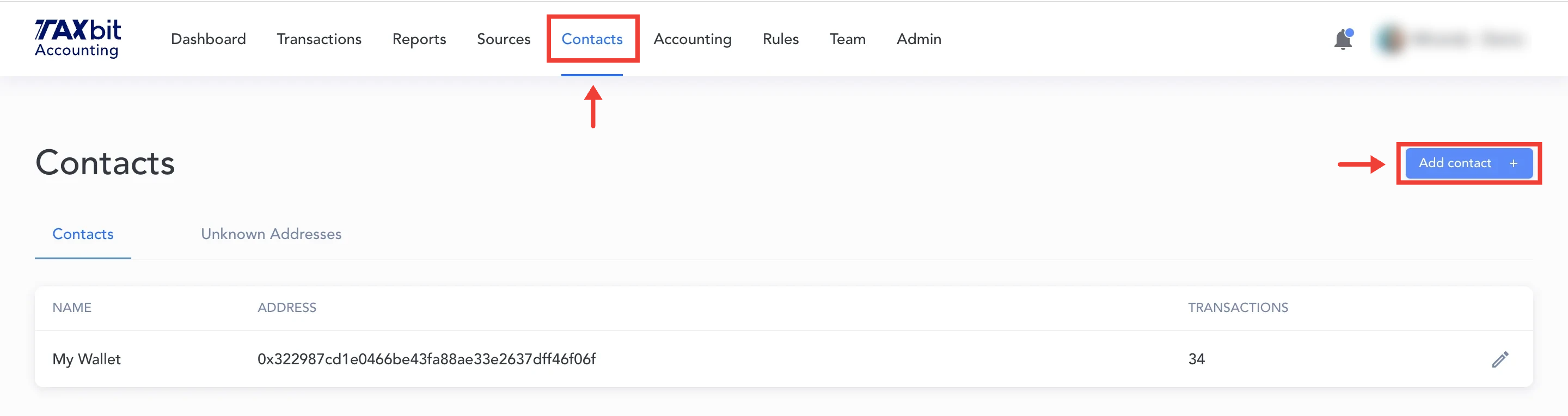
Step 1: From the Contacts page, select "Add contact +" from the top right.
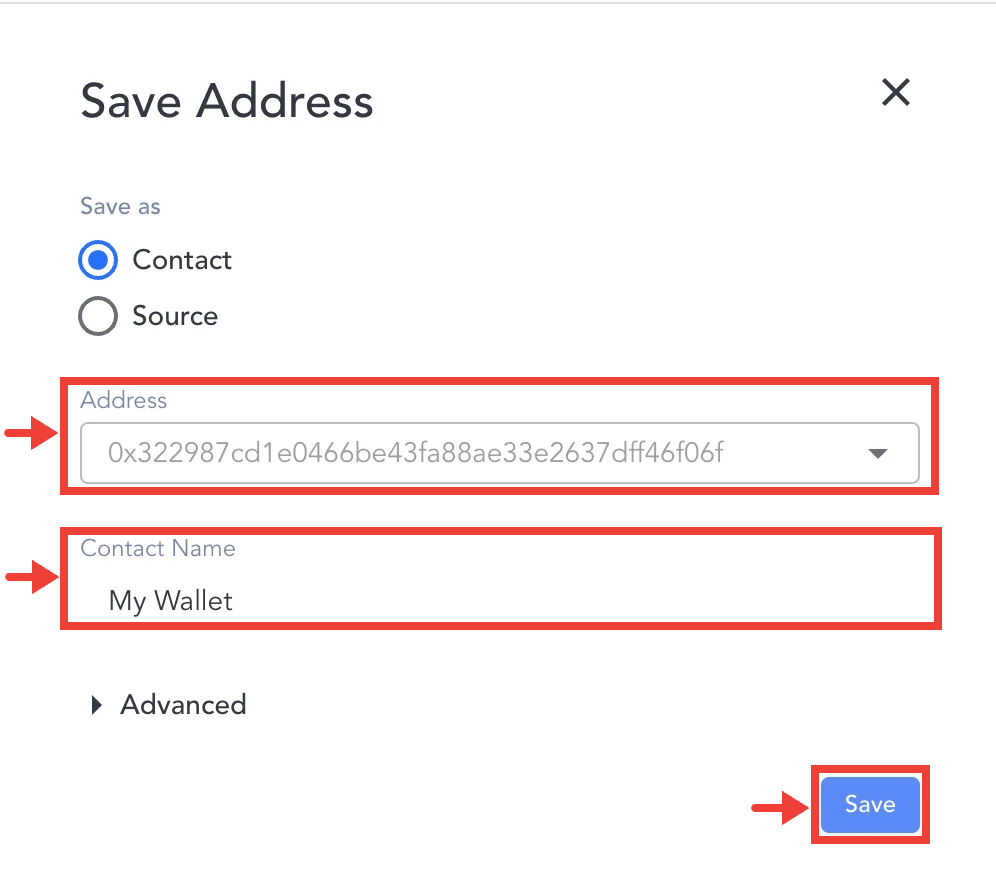
Step 2: Add the wallet address you wish to add as a contact, then add the name you wish to give this contact, and press Save.
Once you've saved your contact, it will appear within the list of contacts on the Contacts page.
How to Update Contacts Page Information
Step 1: Select the Contacts page > go to “Unknown addresses” > select the edit icon in the right column for the first address.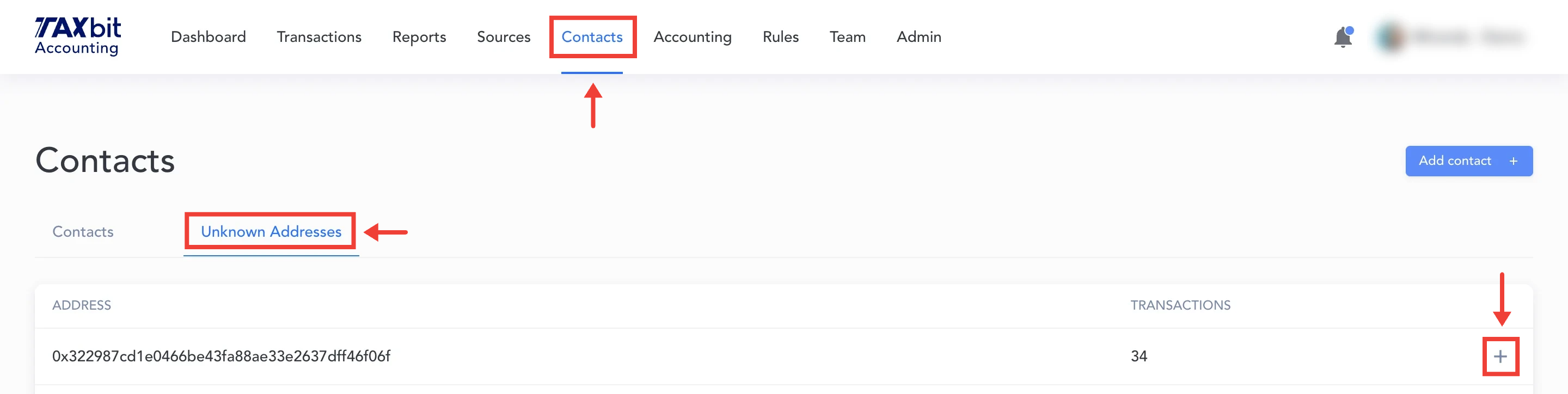
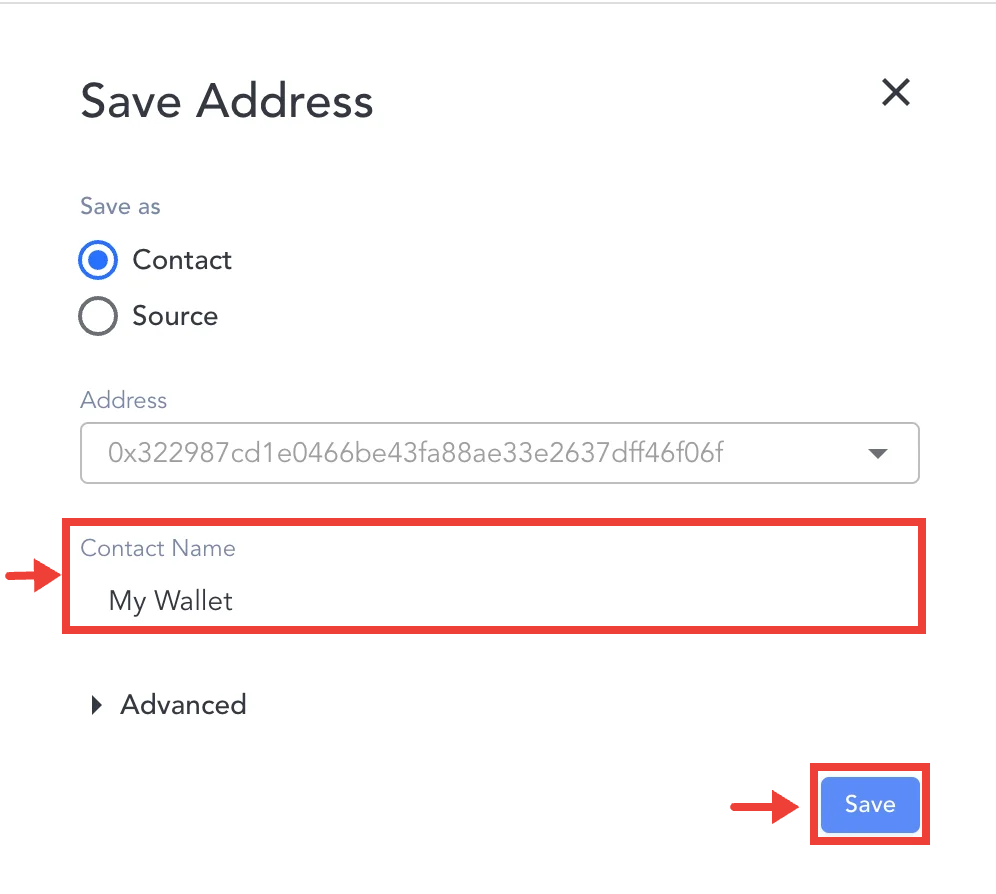
Step 2: In the Name field, assign a name and select “Save”. The wallet’s new name will appear on the Contacts tab.
How to View Transactions by Contact
In the Contacts page, select the Contacts tab > click on the “34” hyperlink to view the transactions that are related to this address.
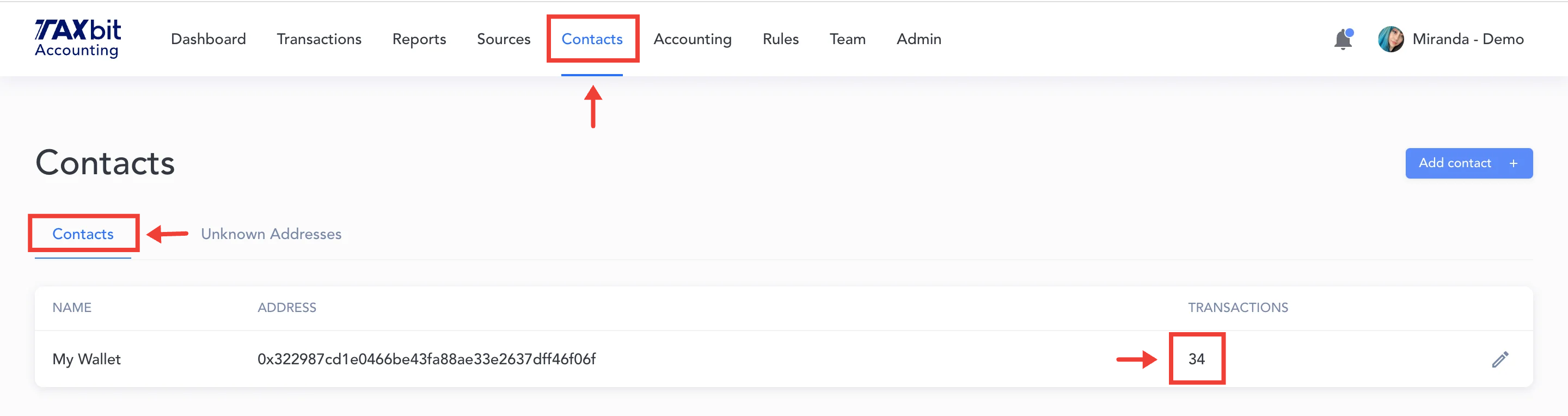
You are then taken to the Transactions page with the transactions already filtered for the new contact address name, and the address is now labeled “Smart Contract.”