
For transaction data in a wallet or centralized exchange that cannot currently be connected in TaxBit’s Sources page, the transactions can be supported in the form of a CSV upload:
Step 1: Download transaction history via CSV directly from the source (directly from the centralized exchange, for example).
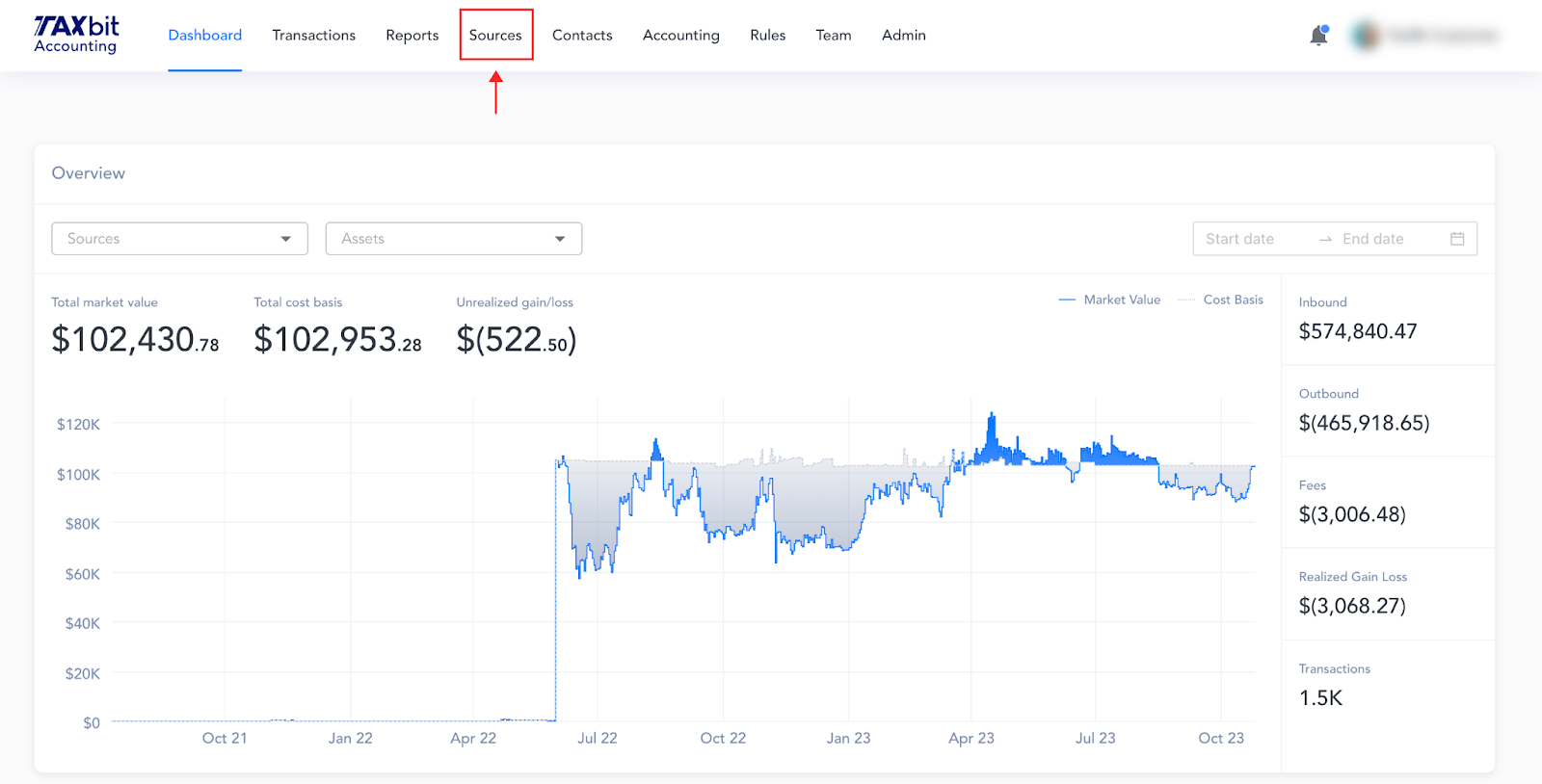
Step 2: Go to the Source page of your TaxBit account.
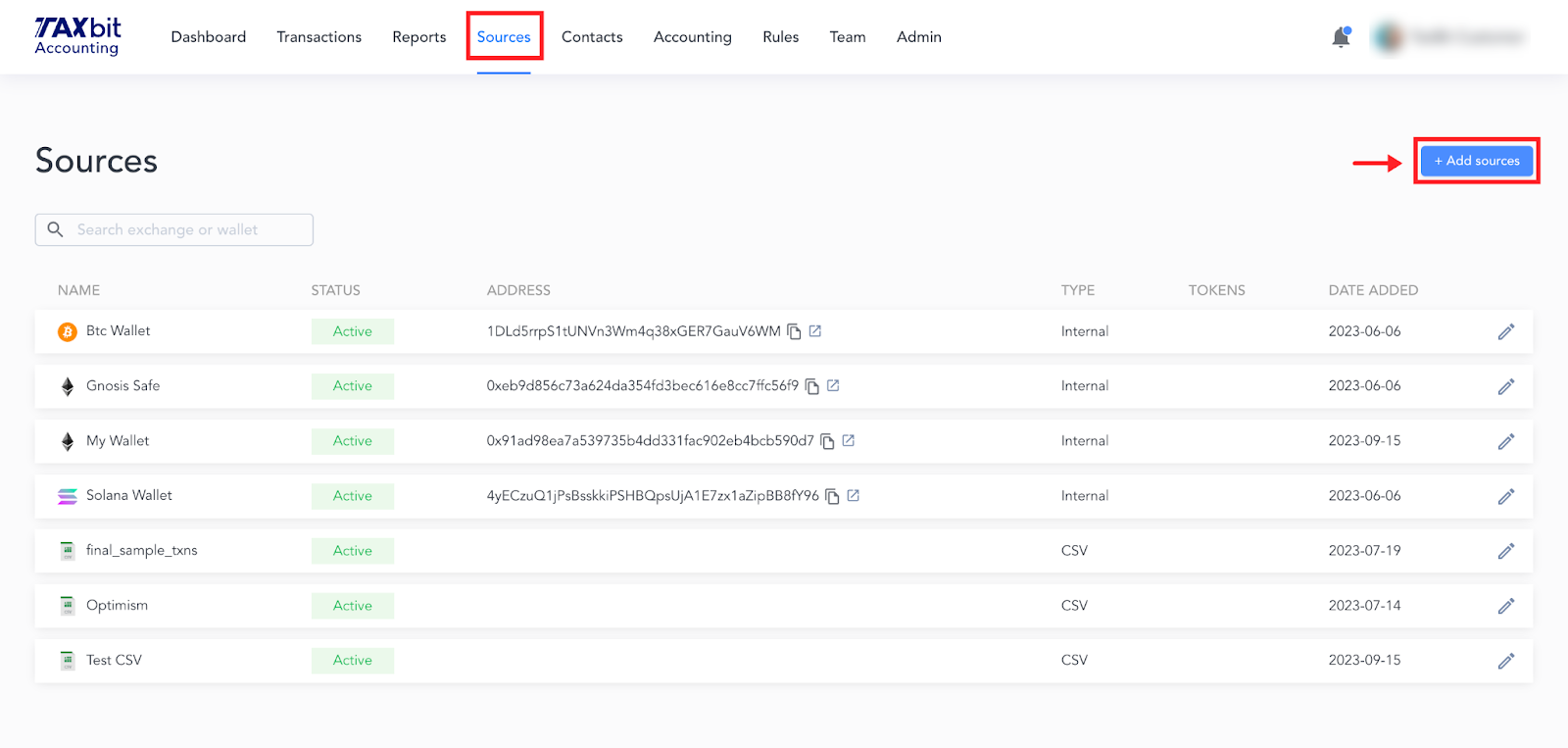
Step 3: Select “Add Sources” on the top right.
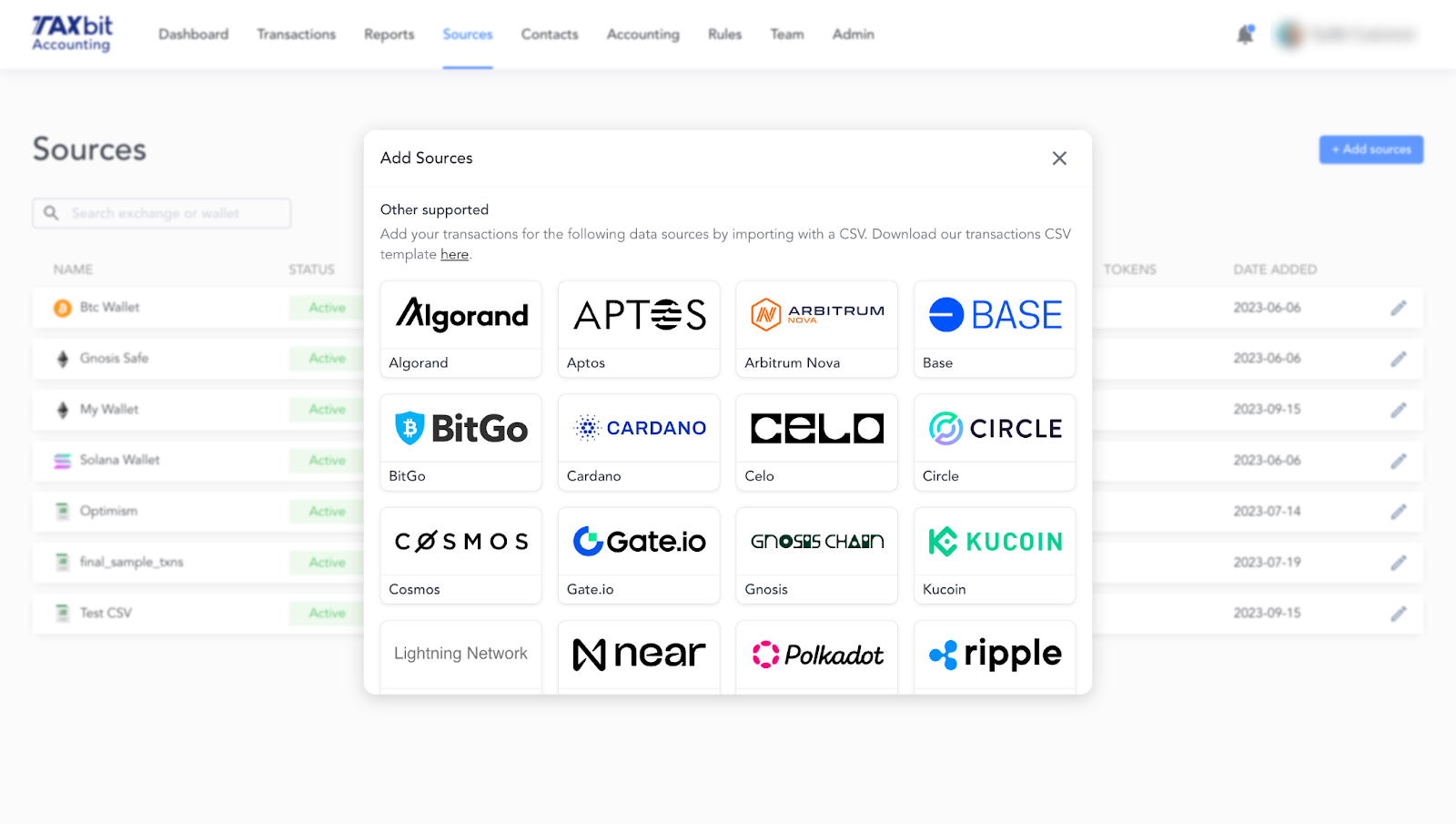
Step 4: Scroll down to the bottom of the Add Sources window to the ‘Other Supported’ section.
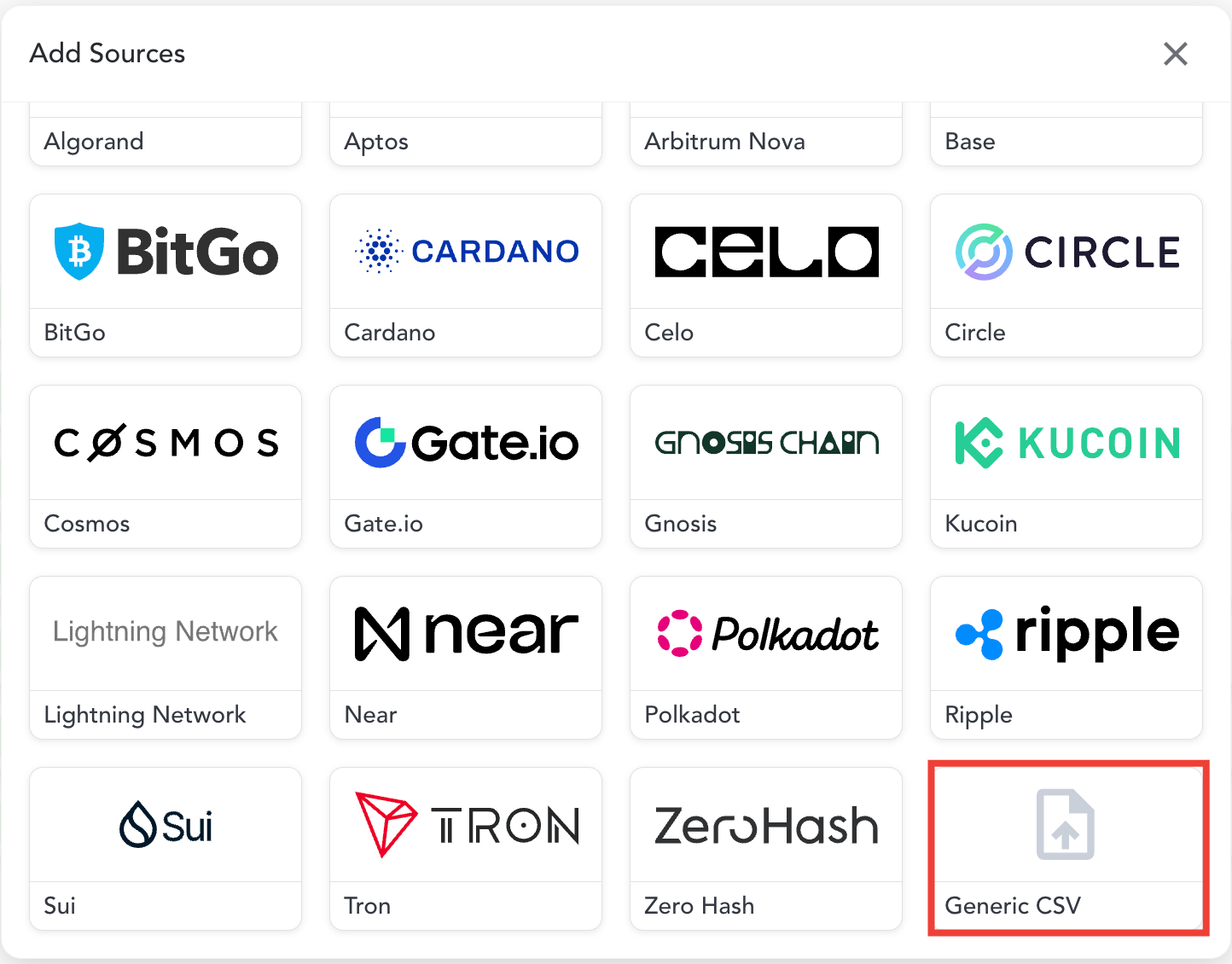
Please note: If you do not see the source you are looking for listed in this section, you can still import your CSV by scrolling to the bottom of this section and selecting ‘Generic CSV’. From the next window, you’ll be able to select the CSV you wish to import.
Please note: If the CSV is failing to import, you may need to re-format it to match our CSV template which can be downloaded from the link shown under the ‘Other Supported’ text.

If you have questions about exporting CSVs from original sources, please let our team know so that we can guide you to ensure the team captures a complete set of transaction data from the respective data source.