
Connection Steps
Below you will find a detailed guide on connecting your Coinbase Prime account to the TaxBit Accounting Suite.
From Coinbase Prime
Please Note: You can only create an API key on Coinbase Prime if you have one of the following roles: Administrator, Initiator, Authorized Signatory, or Full Trader. Also, there are several steps where you’re prompted with MFA via an Authentication Key. You'll want to have that information handy for the multiple verifications.
Step 1: Sign in to Coinbase Prime .
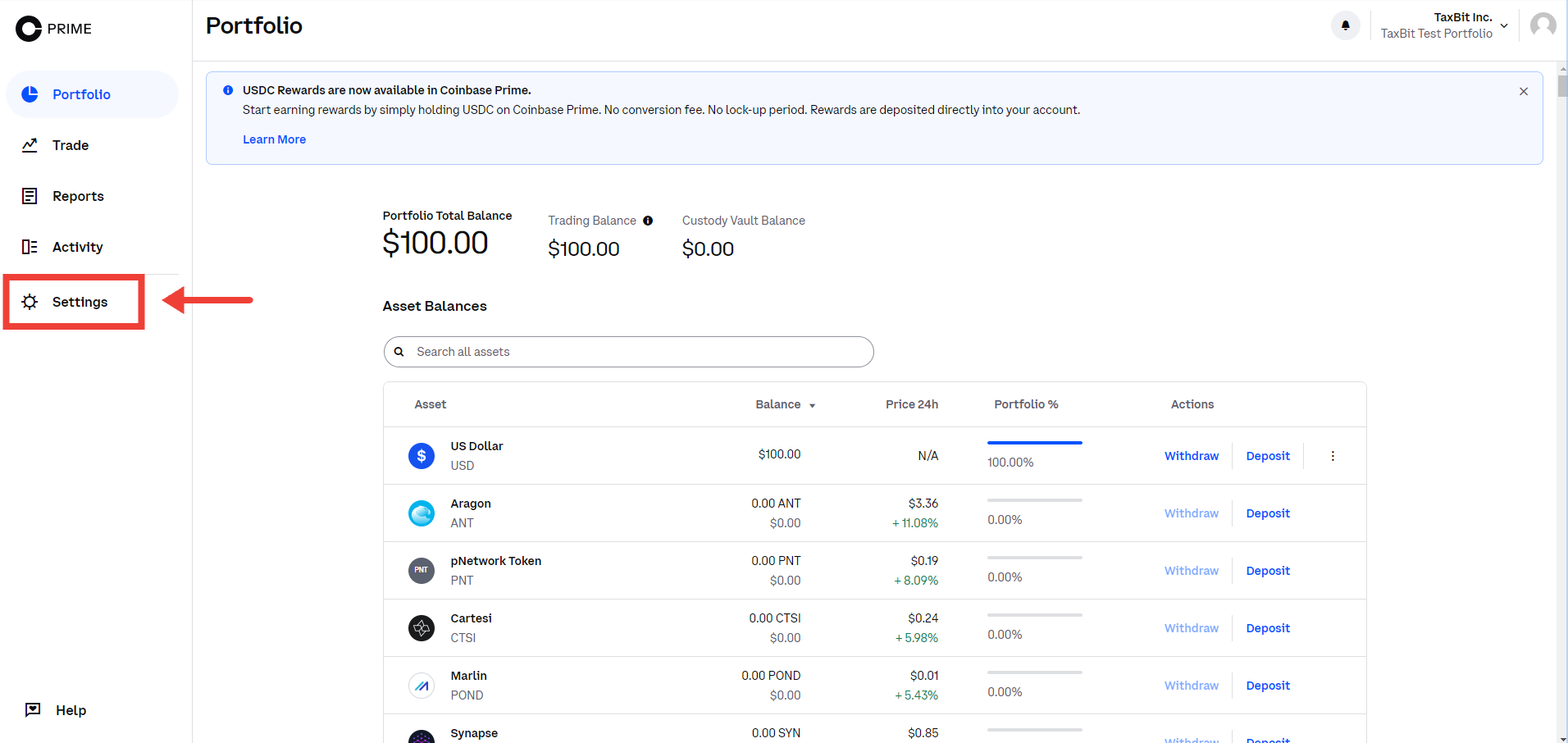
Step 2: On the lower-left corner of the page, click the Gear settings icon.
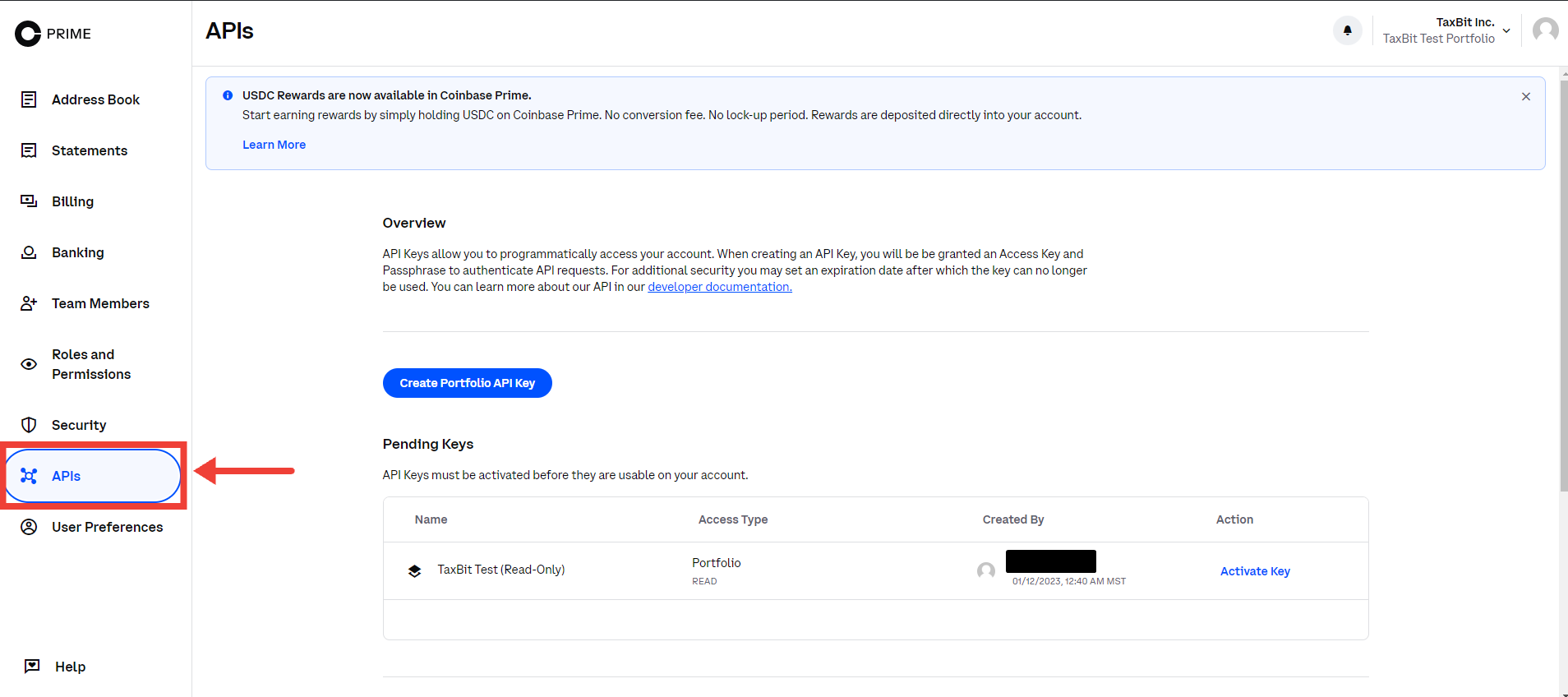
Step 3: Click APIs.
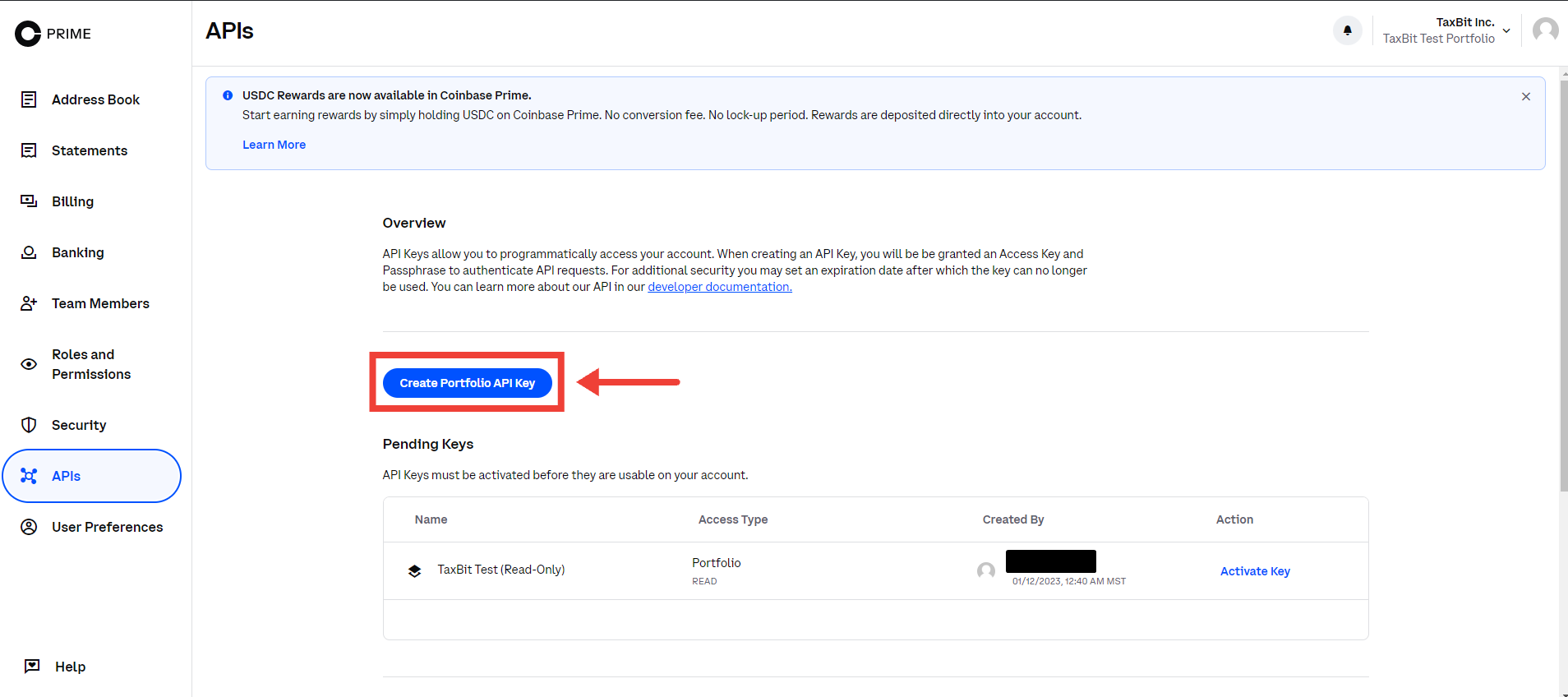
Step 4: Click Create Portfolio API Key.
Step 5: In the pop-up window, enter the API Name, Access Type, and Expiration Date. Note: You have to click into "Access Type" and confirm "Read Only".
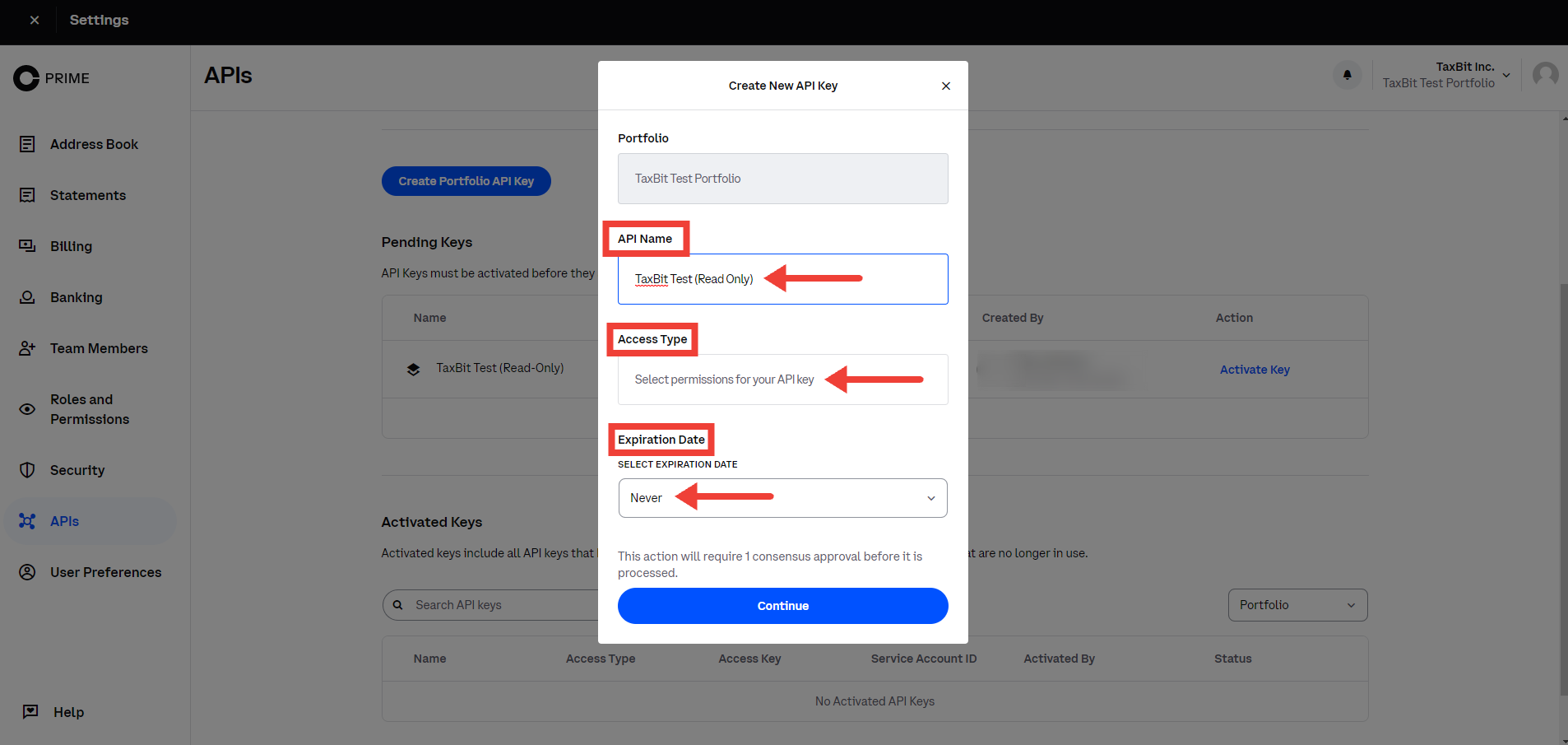
Step 6: Click Continue.
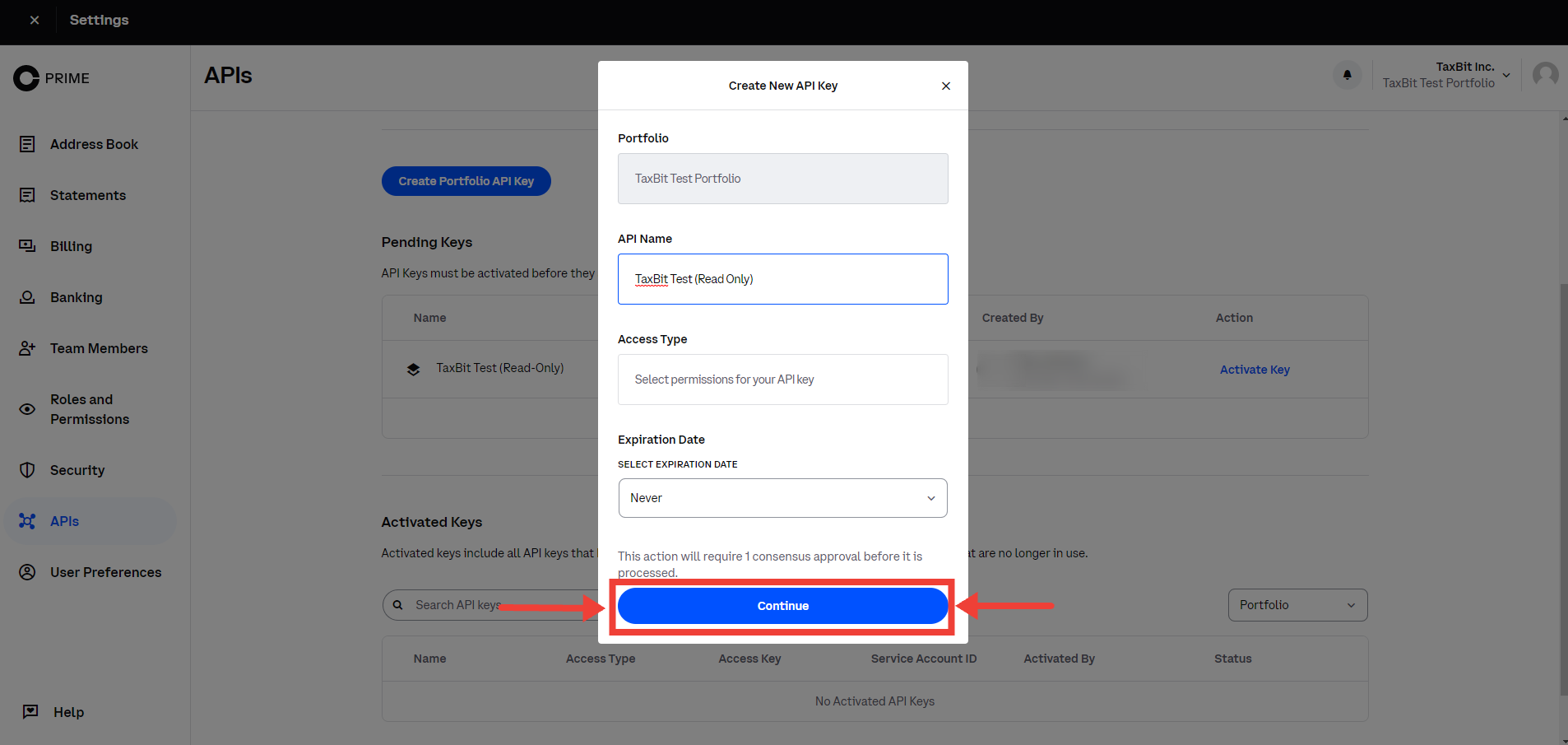
Step 7: Verify your identity through the MFA format you have set up for your account.
Step 8: Under Pending Keys, find your API Key
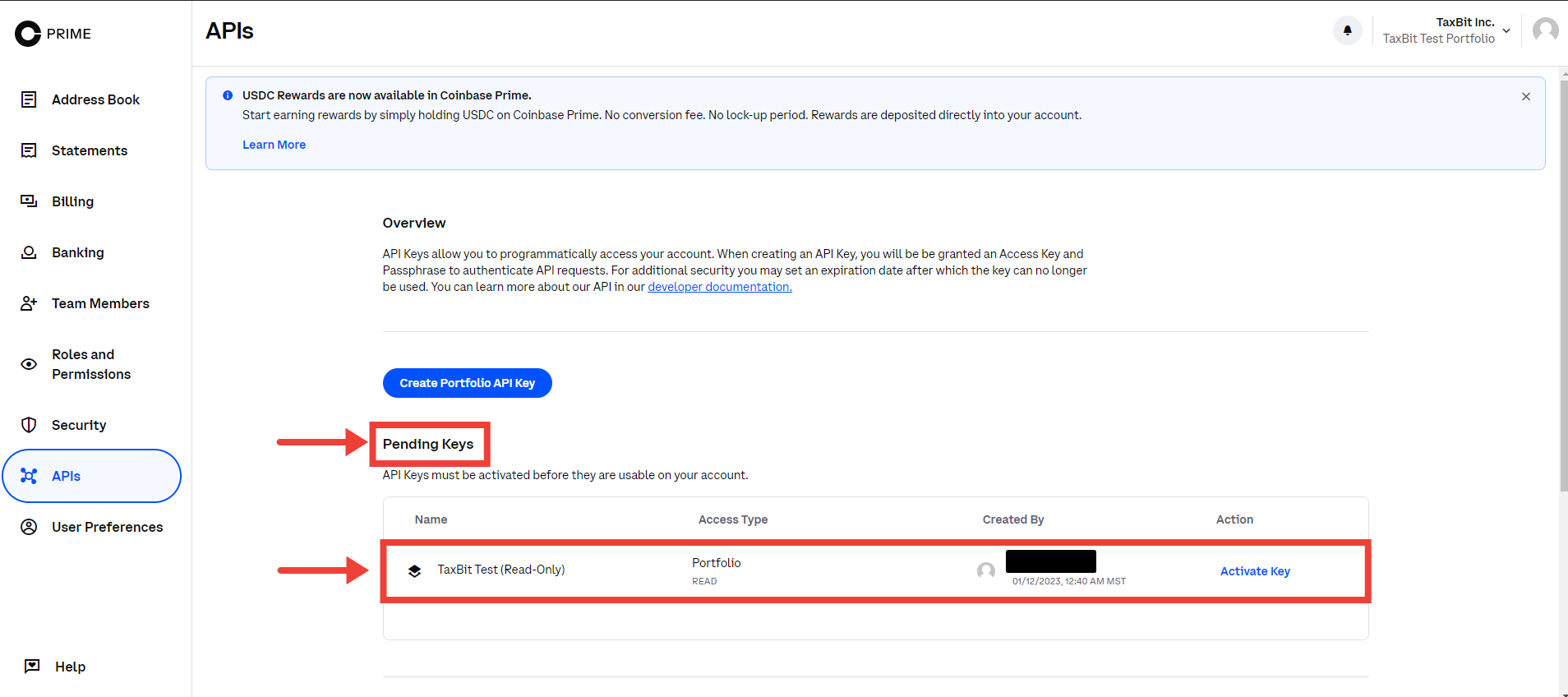
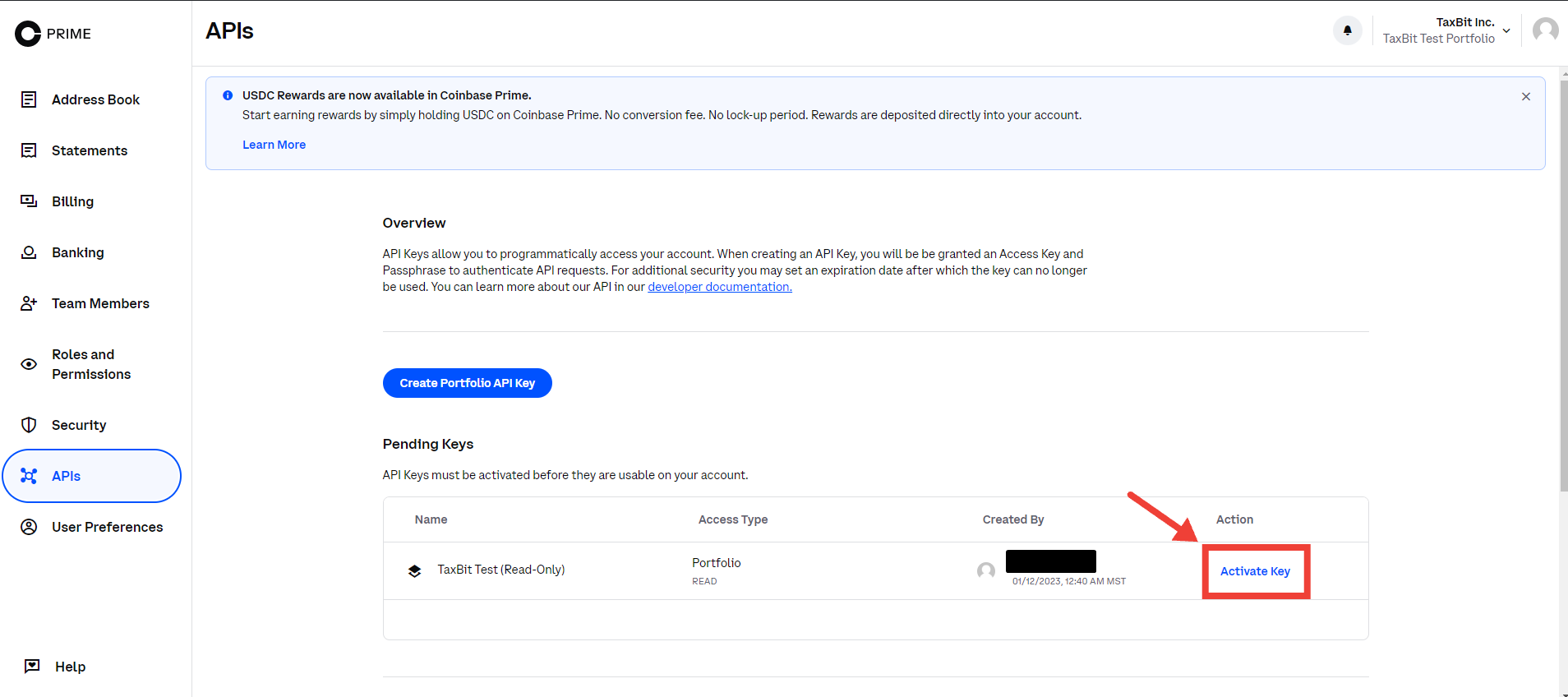
Step 9: Click Activate Key.
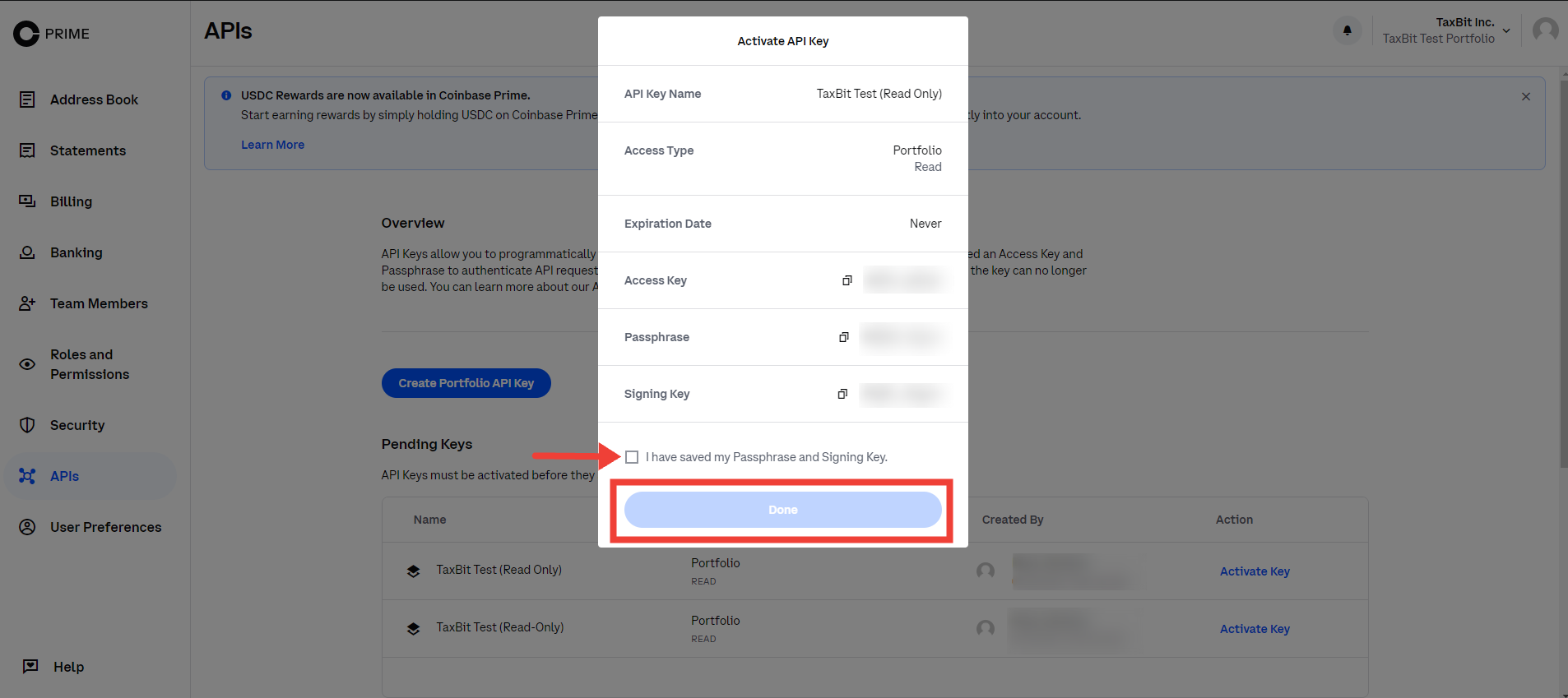
Step 10: Review details in the pop-up window then click “Activate API key”.
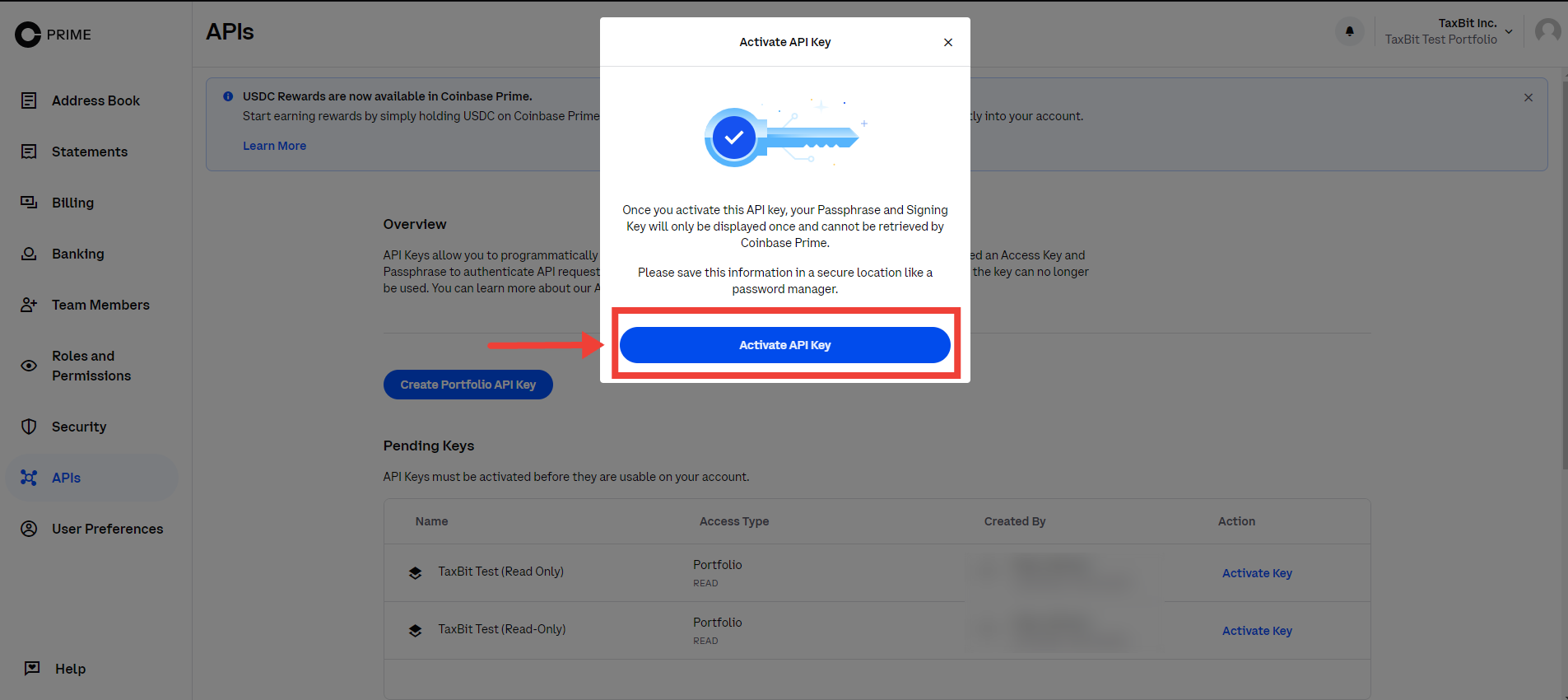
Step 11: Once you have saved your Passphrase and Signing Key, make sure to check the box that it’s been completed, then hit “Done”
From your TaxBit Accounting Account
Before you begin, you’ll want to make sure that you have your Coinbase Prime Access Key, Passphrase, and Signing Key ready.
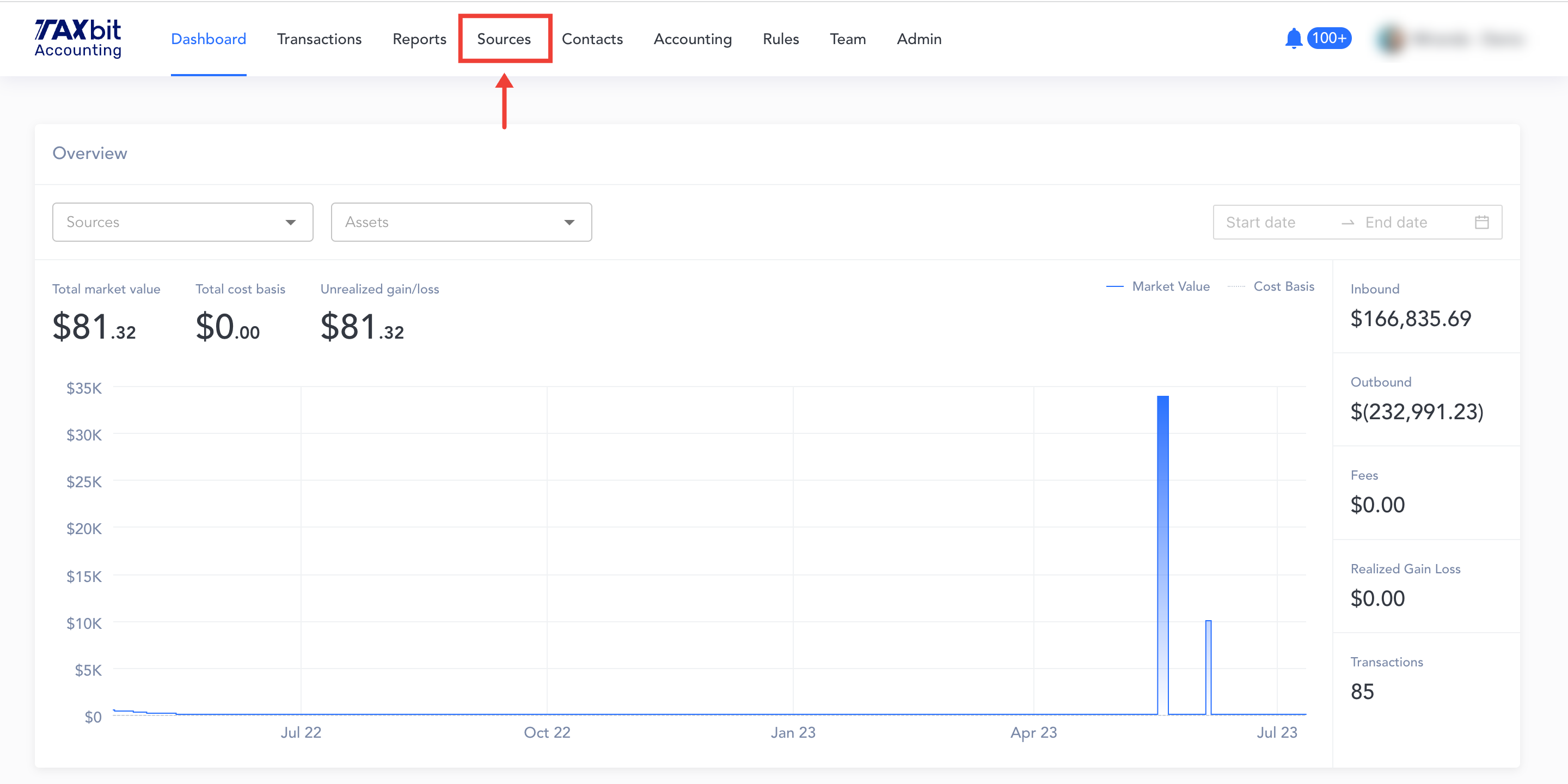
Step 1: Beginning from your Dashboard page, you'll want to navigate over to the "Sources" page
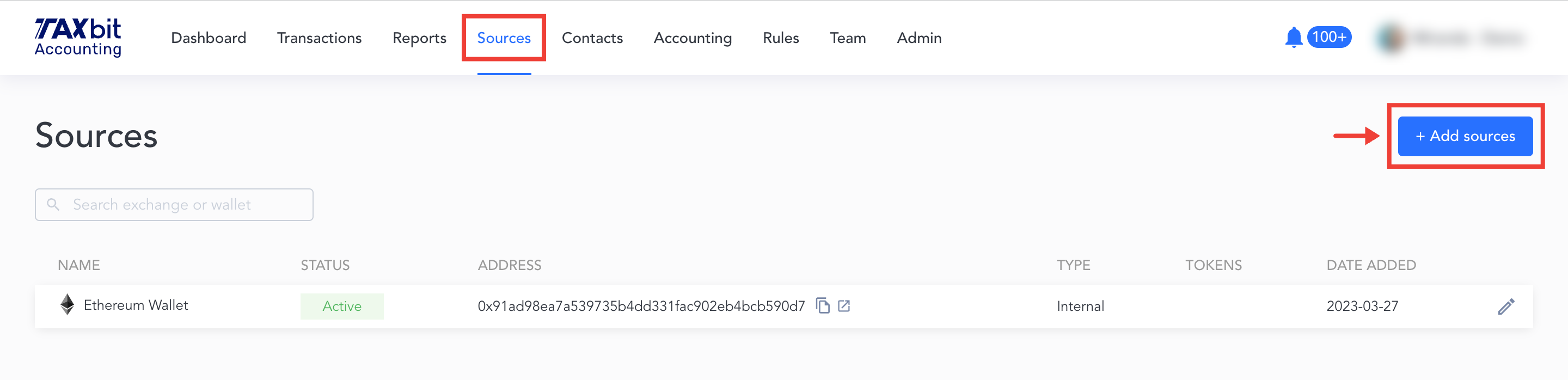
Step 2: From the Sources page, you'll click the "Add sources" button
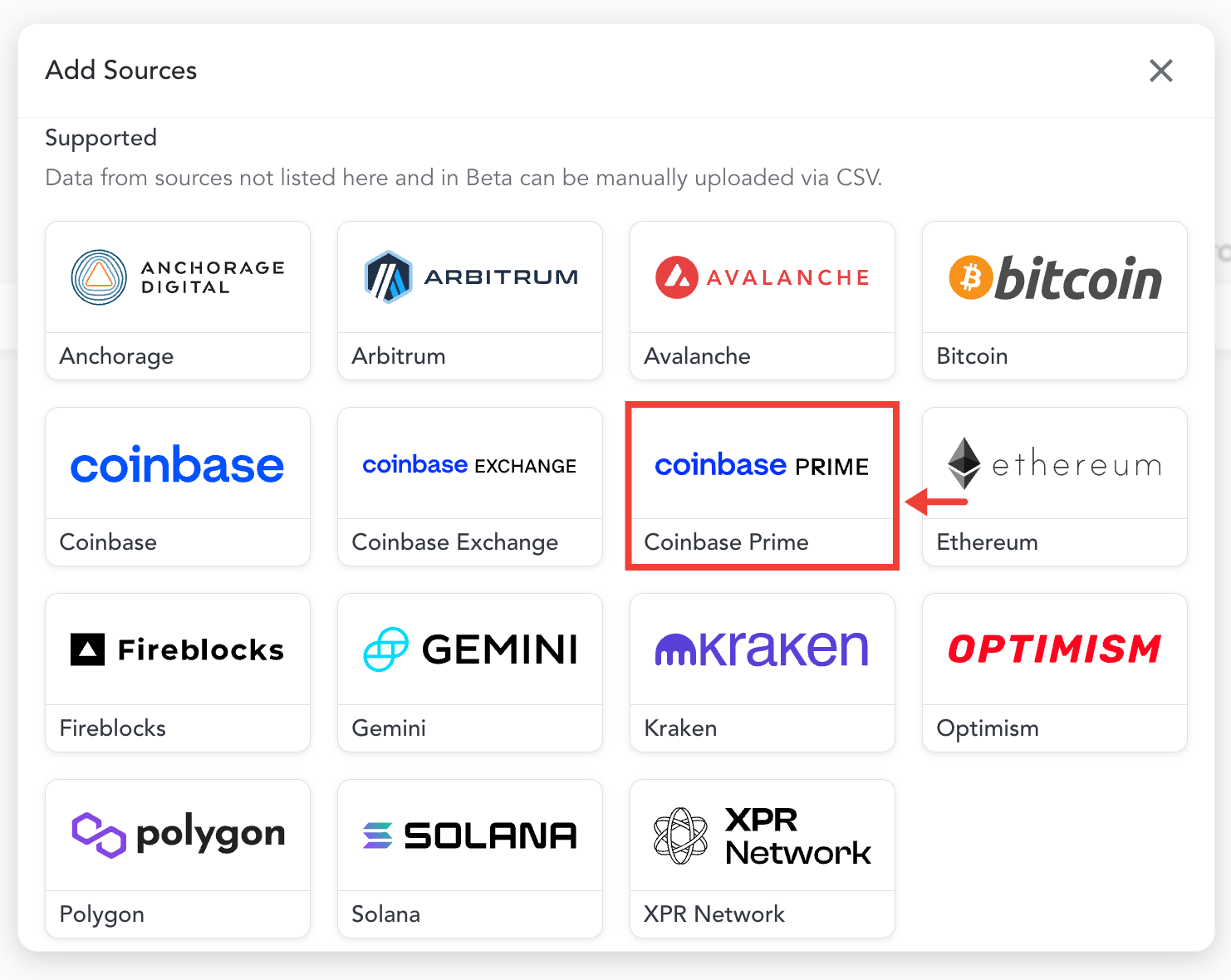
Step 3: You'll see this screen appear, and then you'll select "Coinbase Prime"
Step 4: Navigate over to Coinbase Prime
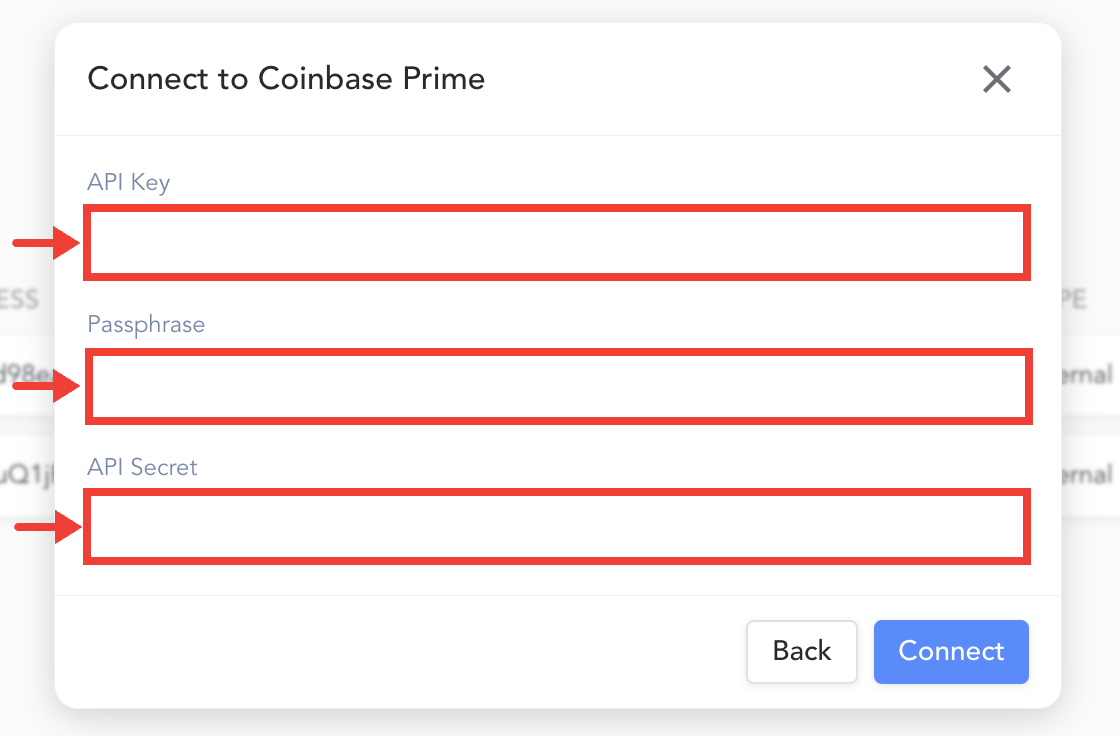
Step 5: Enter your API key (Access Key), Passphrase, and Secret Key (Signing Key) information that you obtained from Coinbase Prime in the appropriate fields.
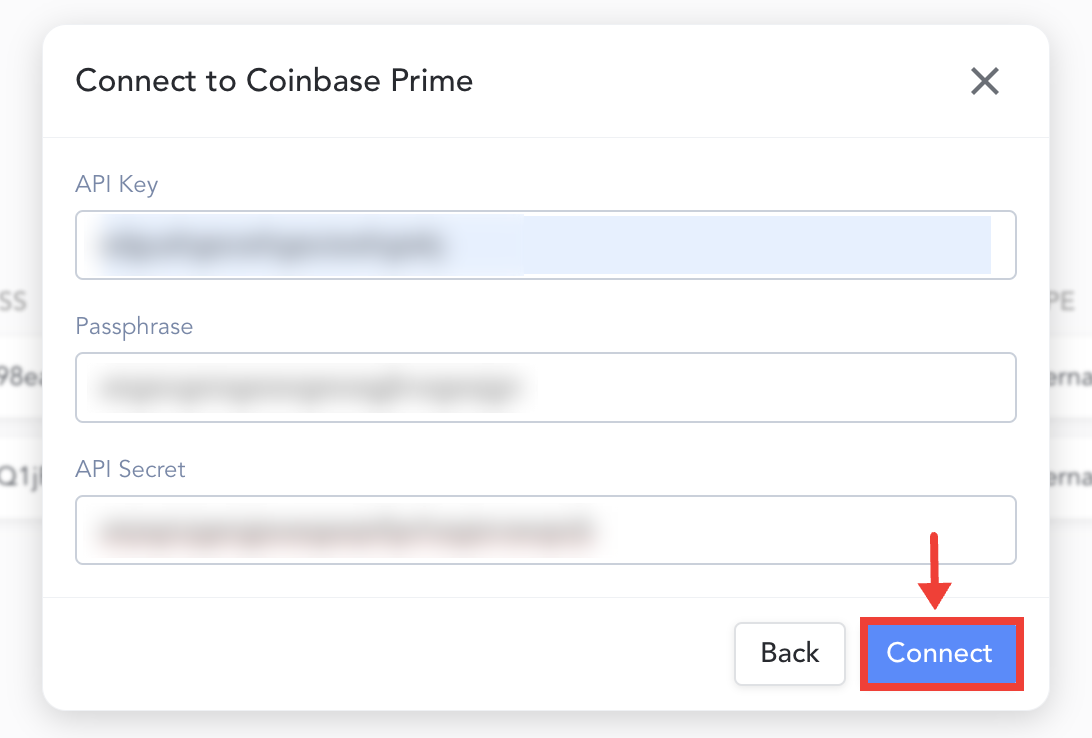
Step 5: Hit "Connect"
Once you have successfully connected Coinbase Prime to your TaxBit Accounting Suite, you'll see a message appear that Coinbase Prime is connected. You can either "Add another " if you have more sources that you need to connect, or if you don't have other sources to connect at this time hit "Close".