
Connection Steps
Below you will find a detailed guide on connecting an Avalanche Wallet to the TaxBit Accounting Suite.
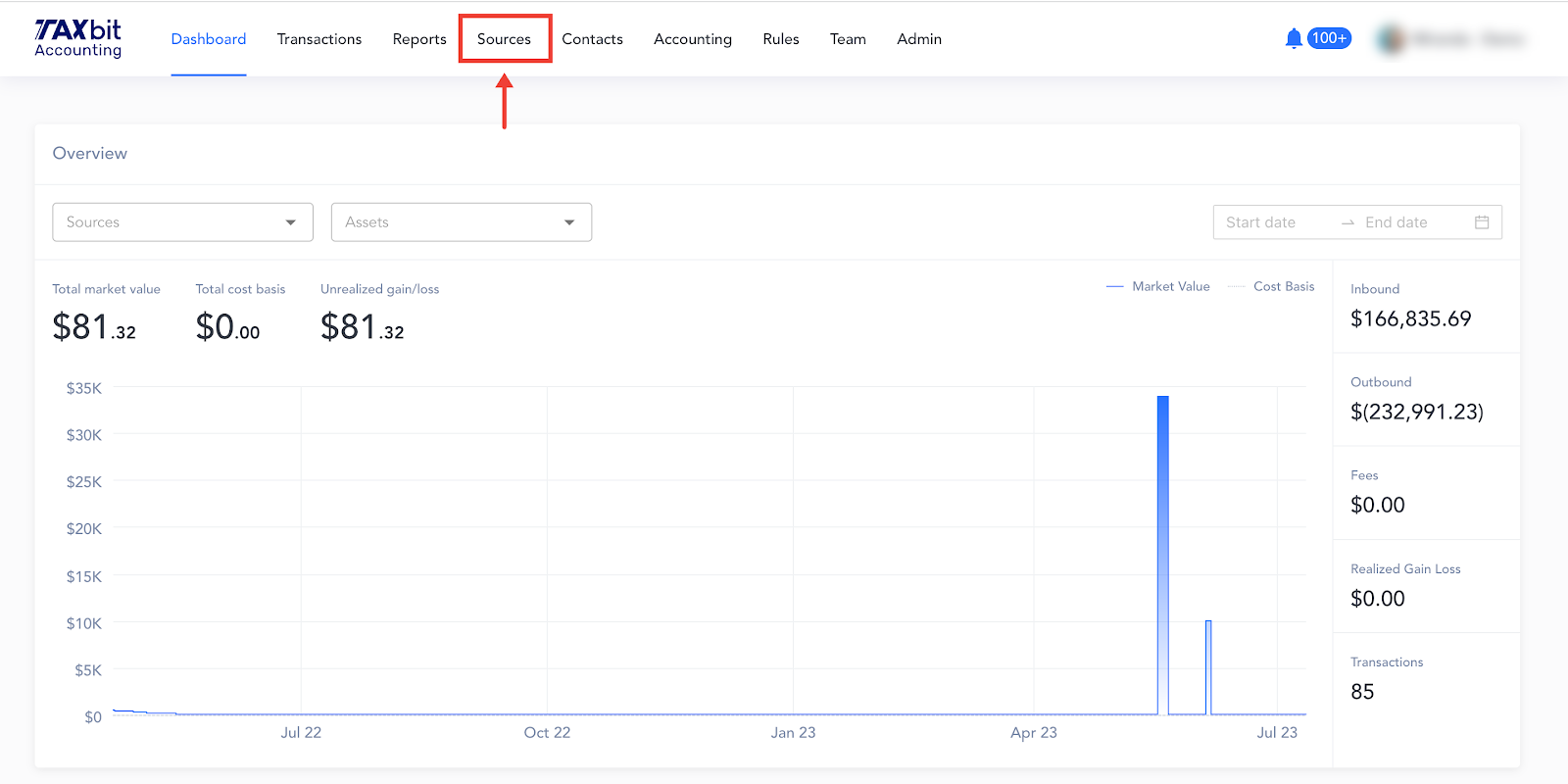
Step 1: Beginning from your Dashboard page, you'll want to navigate over to the "Sources" page
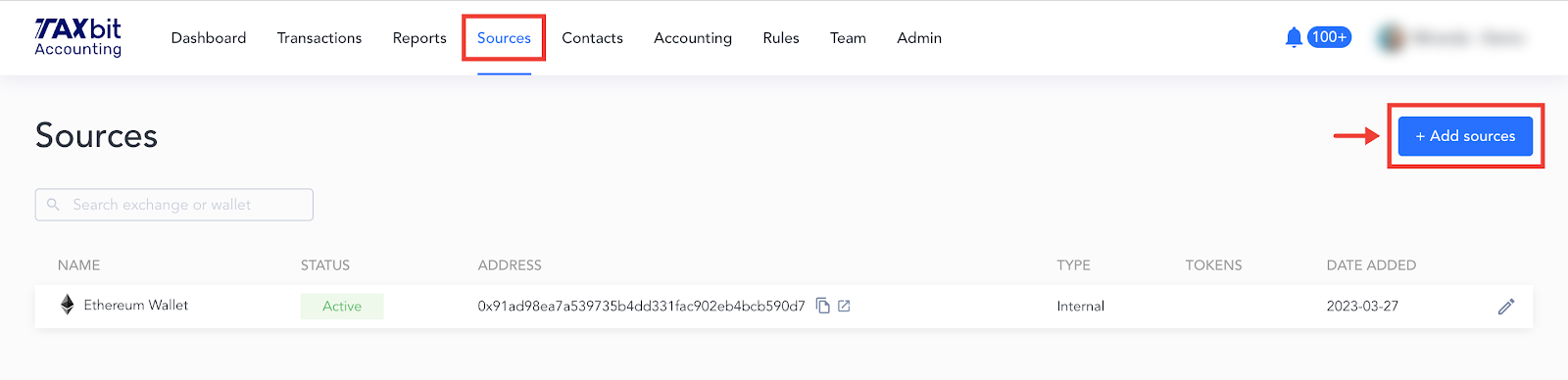
Step 2: From the Sources page, you'll click the "Add sources" button
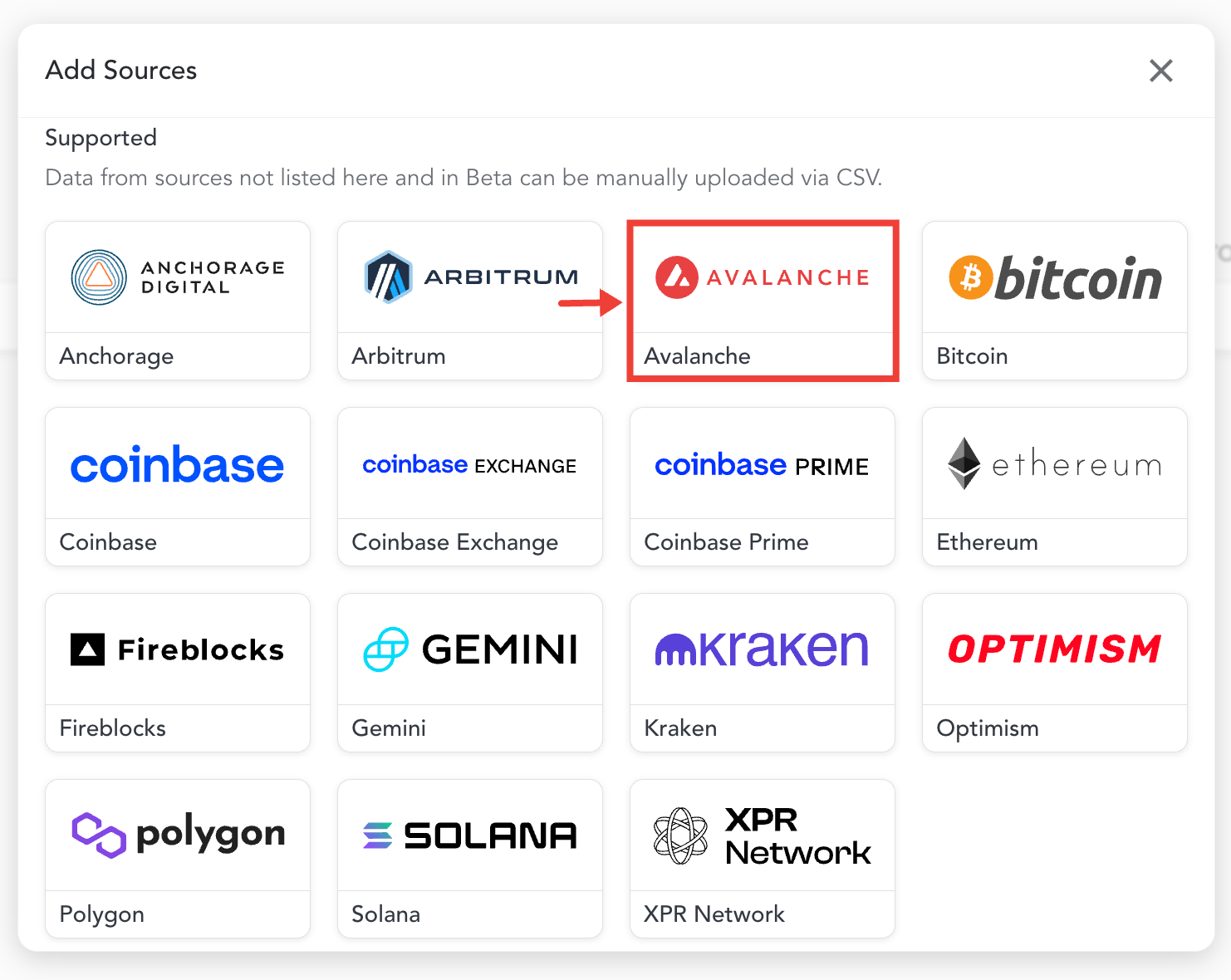
Step 3: You'll see this screen appear, and then you'll select "Avalanche"
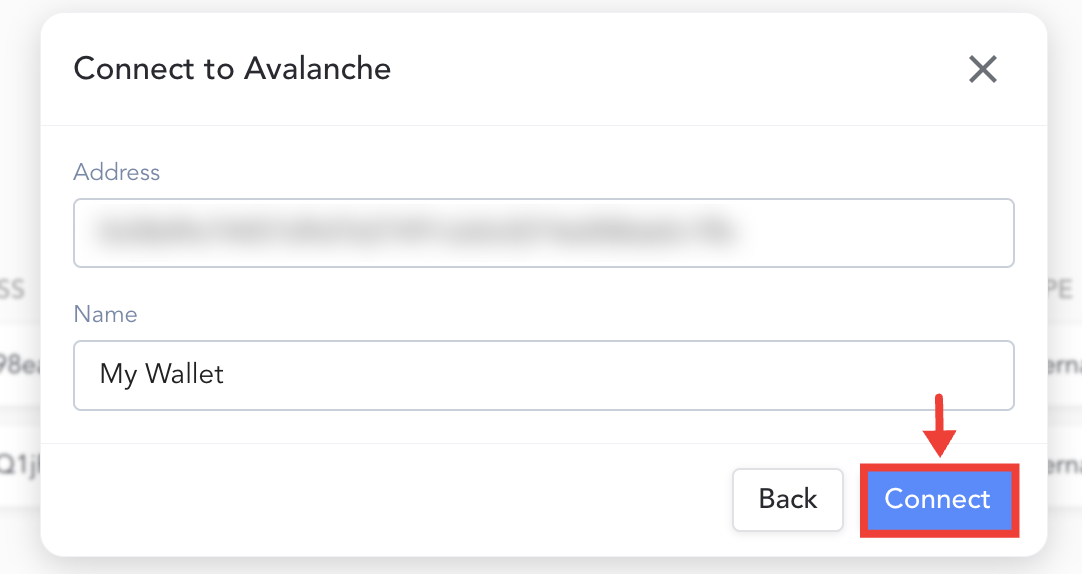
Step 4: You'll enter your wallet address and then what you want to name that particular wallet connection
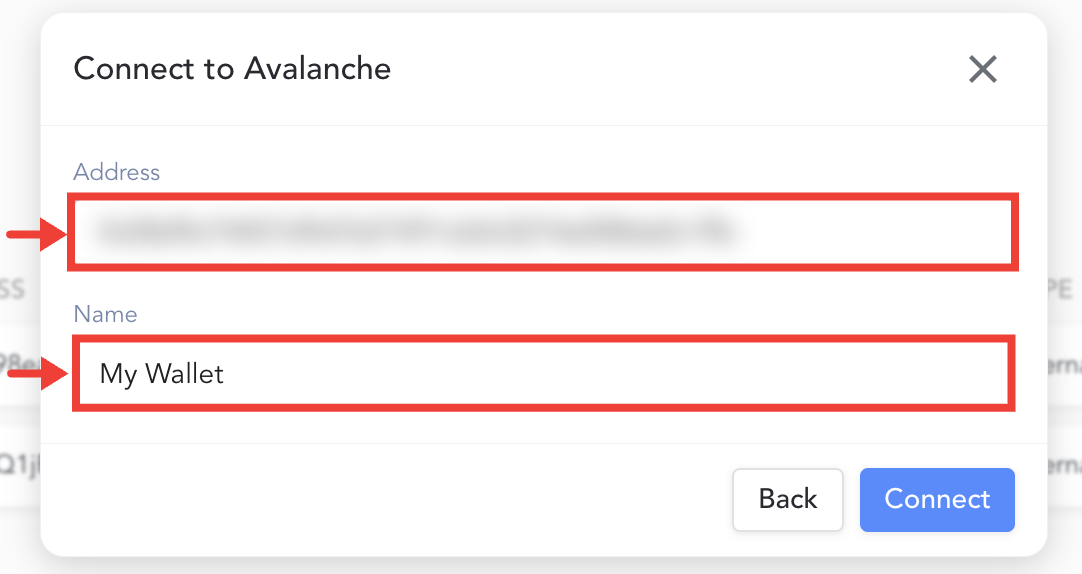
Step 5: Once you have filled out the Address and Name fields, you'll hit "Connect"
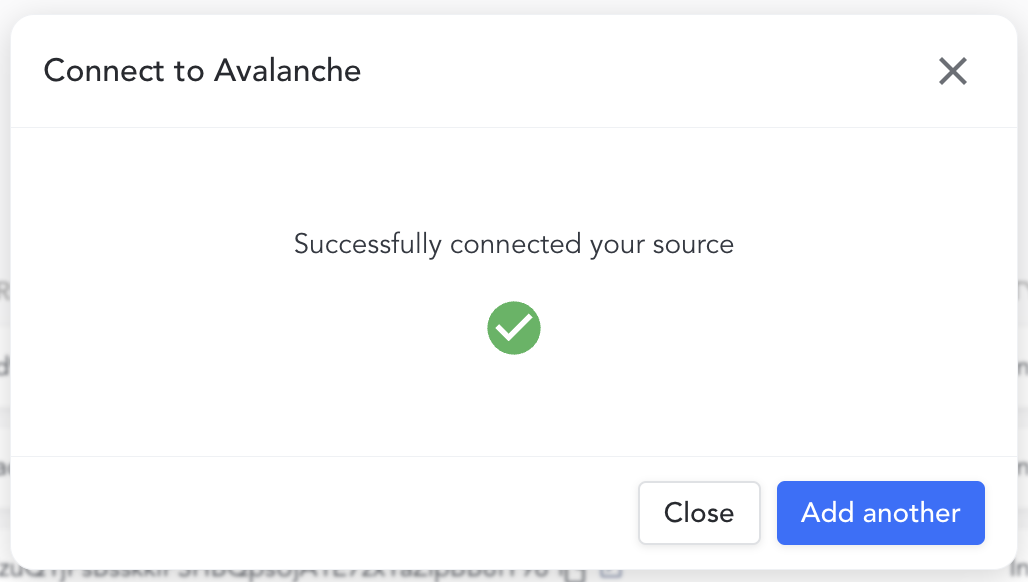
Once you have successfully connected your Avalanche Wallet, you'll see a message appear, confirming that your wallet is connected. You can either "Add another" if you have more sources that you need to connect, or if you don't have other sources to connect at this time hit "Close".
Please note: It can take between 30 mins to 60 mins for the data to load into your account after the connection is complete.