
The "Sources" page is where you can connect your wallets, name them, and see asset balances on connected sources.
How to Add a New Wallet
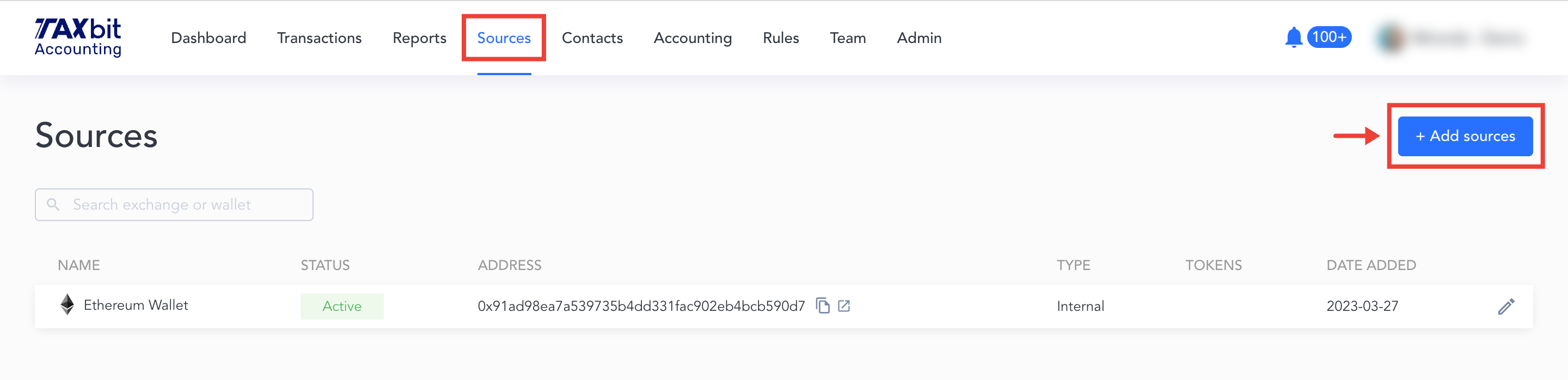
1. Navigate to the “Sources” tab in the top panel.
2. Select “+Add sources”
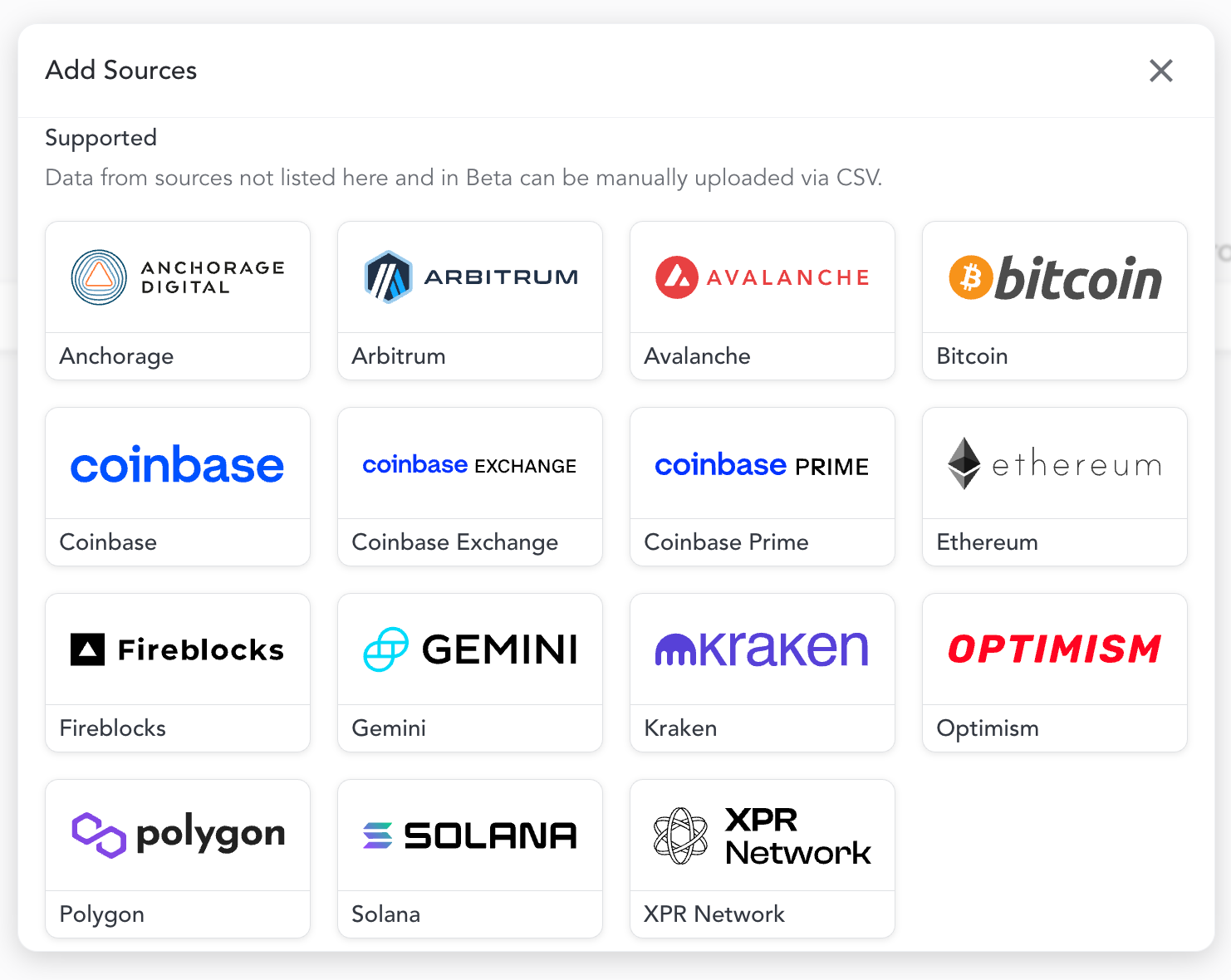
3. Select your wallet from this list of integrations:
4. Enter the wallet address and enter a name for your wallet
5. Select "Connect"
6. Select that you’re done and the transactions will begin to populate within the “Transactions” page.
Please Note: The TaxBit Accounting suite offers the ability to upload CSV files for sources that are unable to be integrated via API.