
In this article, we’ll discuss what is included in the Balance Report and in the Balance Report export.
What is the Balance Report?
The Balance Report presents the inventory balance, total Market Value, total Cost Basis, and Realized and Unrealized Gain/Loss by asset by date based on a date range applied to the filter. The change in asset balance over time is displayed and calculated as well, which can be helpful in understanding inventory movement throughout the period.
Navigating to the Balance Report and Applying Filters
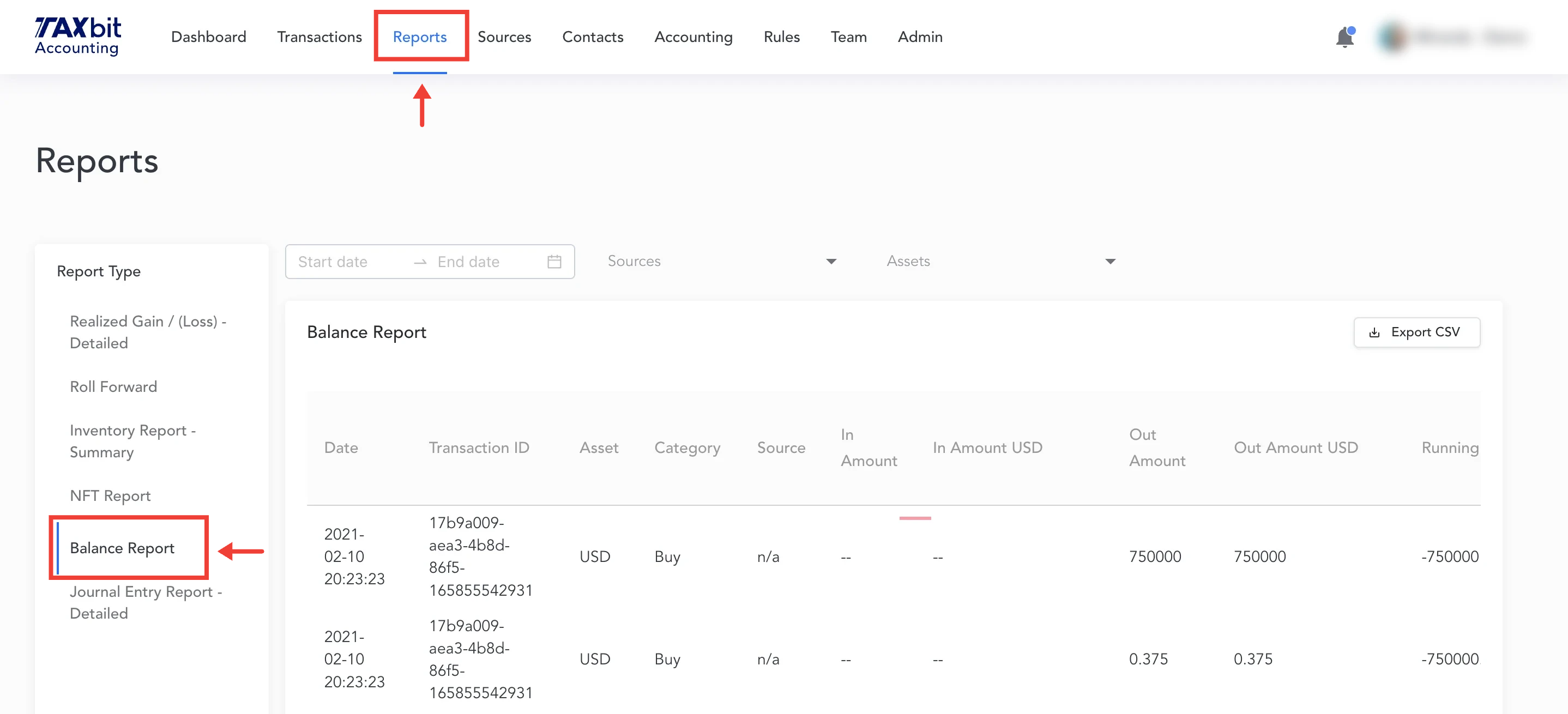
The Balance Report is found on the Reports page and can be filtered by any date range, wallet, and asset.
Export the Balance Report
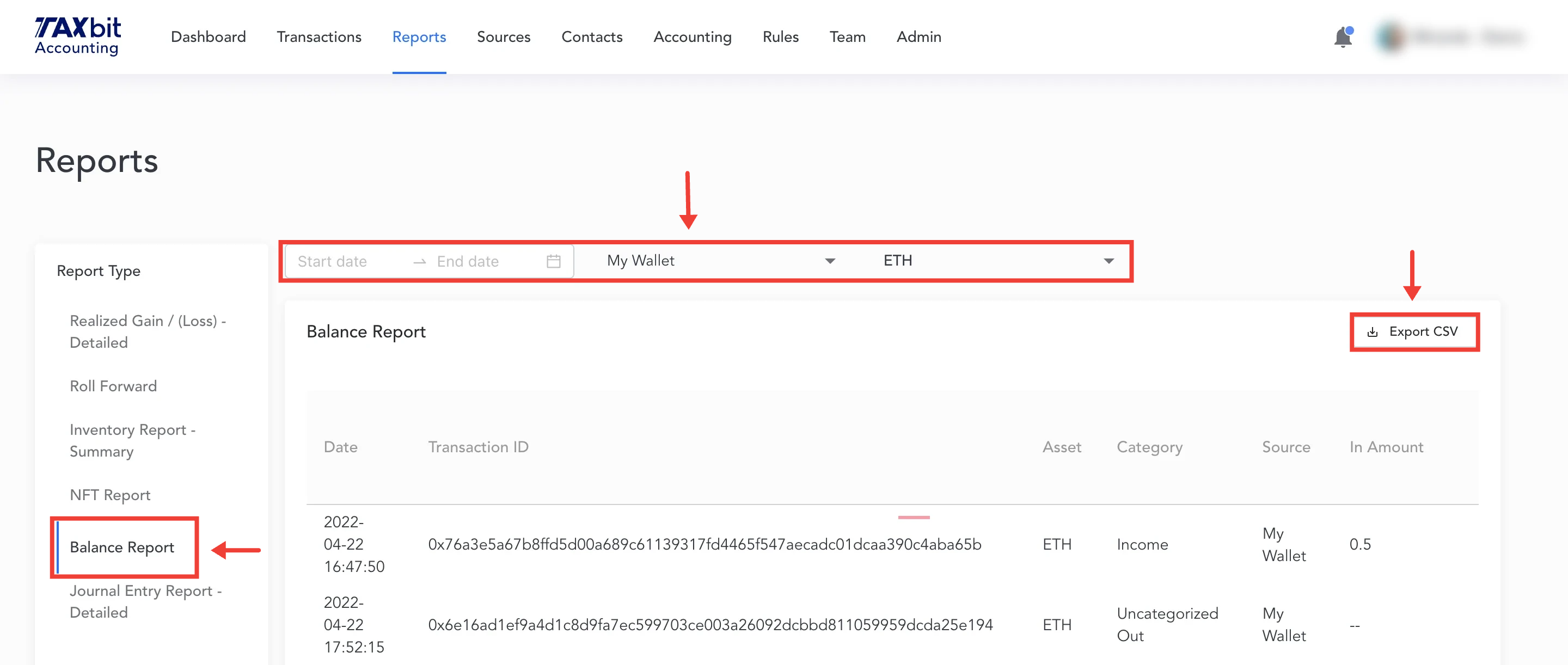
Once the desired filters are applied (date, wallet, and asset, for example) you can export the report in the form of a CSV by selecting “Export CSV” in the upper right-hand corner of the page.
Balance Report Fields (Understanding the Report Export)
Date
Date and time displayed in UTC.
Transaction ID
External transaction hash/ID associated with the transaction, if applicable.
Asset
Asset is shown by ticker (Ethereum = ETH in the report).
Category
The category that the transaction has been given will be displayed here. If the transaction has not been assigned a category, the category will be listed as either Uncategorized In or Uncategorized Out.
Source
This will display the source name, except for CSV upload source detail.
In Amount
The amount of the asset received/transferred in for a specific transaction.
In Amount USD
The amount it was worth in USD when the transaction took place.
Out Amount
The amount of the asset sent/transferred out for a specific transaction.
Out Amount USD
The amount it was worth in USD when the transaction took place.
Running Balance
The running balance column represents the total inventory on a given date. For example, to see the total asset balance as of 12/31/2022, navigate to that date (by row) in the report and note the asset’s running balance.
Total Cost Basis
The total Cost Basis of the assets acquired and still held as of the date presented in each row by asset.
Market Value
The total Market Value of the respective asset held as of a specific date.
Realized Gain/Loss USD
Realized Gain/Loss represents the proceeds minus cost basis for assets disposed of during the date range selected. The Gain/Loss calculation also depends on the accounting methodology selected during the implementation process (FIFO by source, for example, would yield different results compared to LIFO by source).
Unrealized Gain/Loss USD
Unrealized Gain/Loss represents the current Market Value of assets held compared to the Cost Basis. The key distinction between Realized and Unrealized Gain/Loss is that Unrealized Gain/Loss is for assets held, while Realized Gain/Loss is for assets disposed of during the respective period.